Chapter 8: Configuration and Remote System Upgrades in Cyclone IV Devices 8–3
Configuration
May 2013 Altera Corporation Cyclone IV Device Handbook,
Volume 1
3. Click the Configuration tab.
4. Turn on Generate compressed bitstreams.
5. Click OK.
6. In the Settings dialog box, click OK.
You can enable compression when creating programming files from the Convert
Programming Files dialog box. To enable compression, perform the following steps:
1. On the File menu, click Convert Programming Files.
2. Under Output programming file, select your desired file type from the
Programming file type list.
3. If you select Programmer Object File (.pof), you must specify the configuration
device in the Configuration device list.
4. Under Input files to convert, select SOF Data.
5. Click Add File to browse to the Cyclone IV device SRAM object files (.sof).
6. In the Convert Programming Files dialog box, select the .pof you added to SOF
Data and click Properties.
7. In the SOF File Properties dialog box, turn on the Compression option.
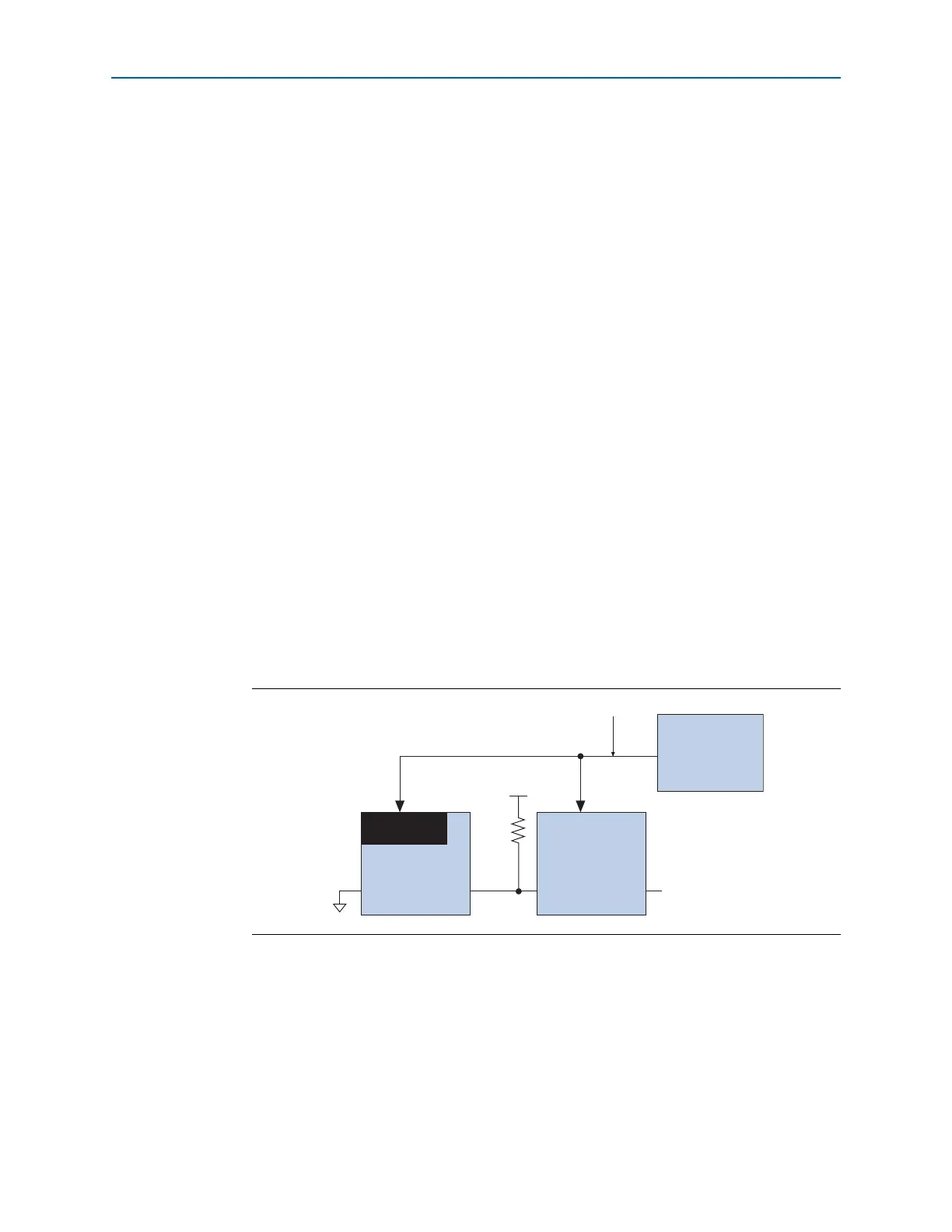
When multiple Cyclone IV devices are cascaded, you can selectively enable the
compression feature for each device in the chain. Figure 8–1 shows a chain of two
Cyclone IV devices. The first device has compression enabled and receives
compressed bitstream from the configuration device. The second device has the
compression feature disabled and receives uncompressed data. You can generate
programming files for this setup in the Convert Programming Files dialog box.
Configuration Requirement
This section describes Cyclone IV device configuration requirement and includes the
following topics:
■ “Power-On Reset (POR) Circuit” on page 8–4
■ “Configuration File Size” on page 8–4
■ “Power Up” on page 8–6
Figure 8–1. Compressed and Uncompressed Configuration Data in the Same Configuration File
nCE
GND
nCEO
Decompression
Controller
Cyclone IV
Device
nCE nCEO
Not Connected (N.C.)
Cyclone IV
Device
Serial Configuration
Device
Serial Data
Compressed Uncompressed
V
CC
10 kΩ



 To Next Page