S820E UG PN: 10580-00343 Rev. H 4-3
Calibration, CAA 4-2 Calibration Setup
4-2 Calibration Setup
In order to perform a proper calibration, several parameters must be set
before the calibration procedure is started. These parameters are: Cal Type,
Cal Line, Port DUT, and Port Cal Kit.
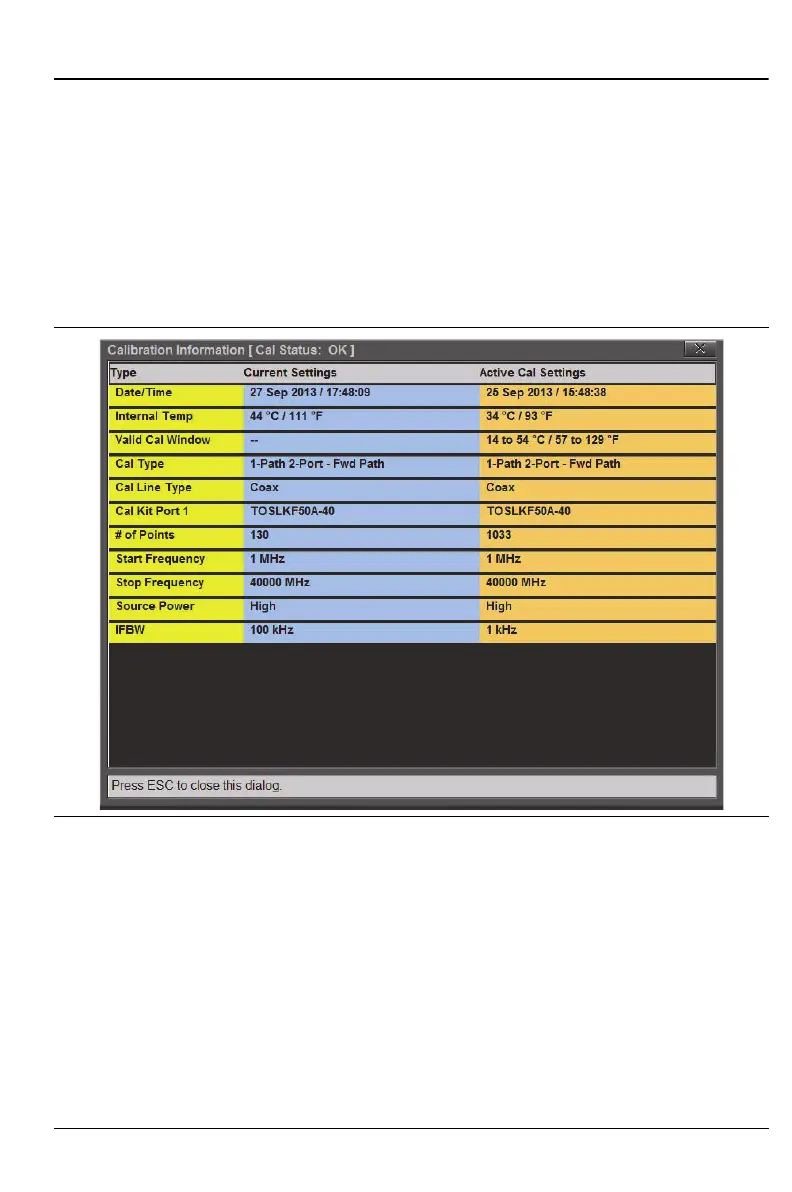
To view a summary of these settings, begin from the Calibration main menu
and press Cal Info. A summary of the Active Cal Settings and the Current
Settings of the instrument are displayed (see Figure 4-3). Press Esc to close
the Cal Info window.
The Cal Info window displays all of the key setup parameters for the
calibration. The current settings are shown on the left, and the settings of the
instrument at the time of the last calibration are shown on the right.
Figure 4-3. Cal Info Window











 To Next Page