10-16 PN: 10580-00343 Rev. H S820E UG
10-5 Recall Files File Management
The recalled measurement is the purple trace and is overlaid on the current
active (yellow) trace. In Figure 10-12, the recalled measurement is used to
compare the cable loss of two different RF cables. Recalled measurements are
automatically saved to trace memory for use in trace math functions. To see
the recalled measurement and the current measurement simultaneously,
select Trace & Memory in the Trace Display submenu. Refer to “Trace”
on page 3-47.
Recall a Setup
Press the File (1) keypad menu key to display the File menu, then press
Recall. In the Recall dialog box, confirm that the Filetype is Setup or All.
Select the setup file (.stp extension) with the touchscreen, rotary knob, or
Up/Down arrow keys, then press Enter (or the Recall submenu key).
Setup files contain basic instrument setup details including: measurement
type, frequency span, distance span, DTF setup, amplitude setting, markers,
limit line, calibration coefficients, and additional instrument settings (data
points, run/hold status and RF immunity status). Recalling a setup may
change the current settings.
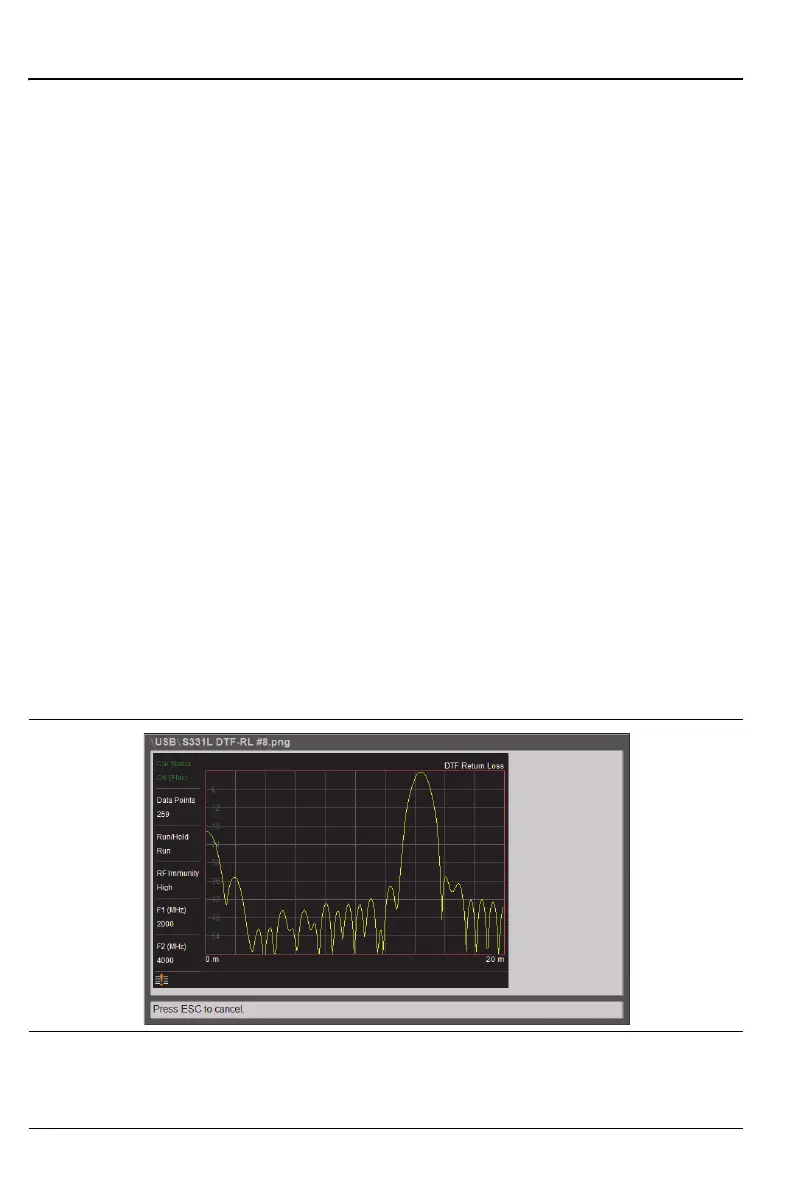
Recall/Preview a Screen Shot
Press File (1), then press the Recall submenu key. Confirm that the Filetype
is Screen Shot or All. Select the file (.png extension) with the touchscreen,
rotary knob, or the Up/Down arrow keys, then press Enter.
Press ESC to return to the File Recall menu.
Figure 10-13.Preview of a Recalled ScreenShot











 To Next Page