S820E UG PN: 10580-00343 Rev. H 6-31
VNA Mode 6-12 Limit Menu
6-12 Limit Menu
Limit lines can be used for visual reference only, or for pass/fail criteria using
the limit alarm and Pass/Fail Message keys. Limit alarm failures are
reported whenever a signal crosses the limit line.
Key Sequence: Limit (6) or Limit
Limit
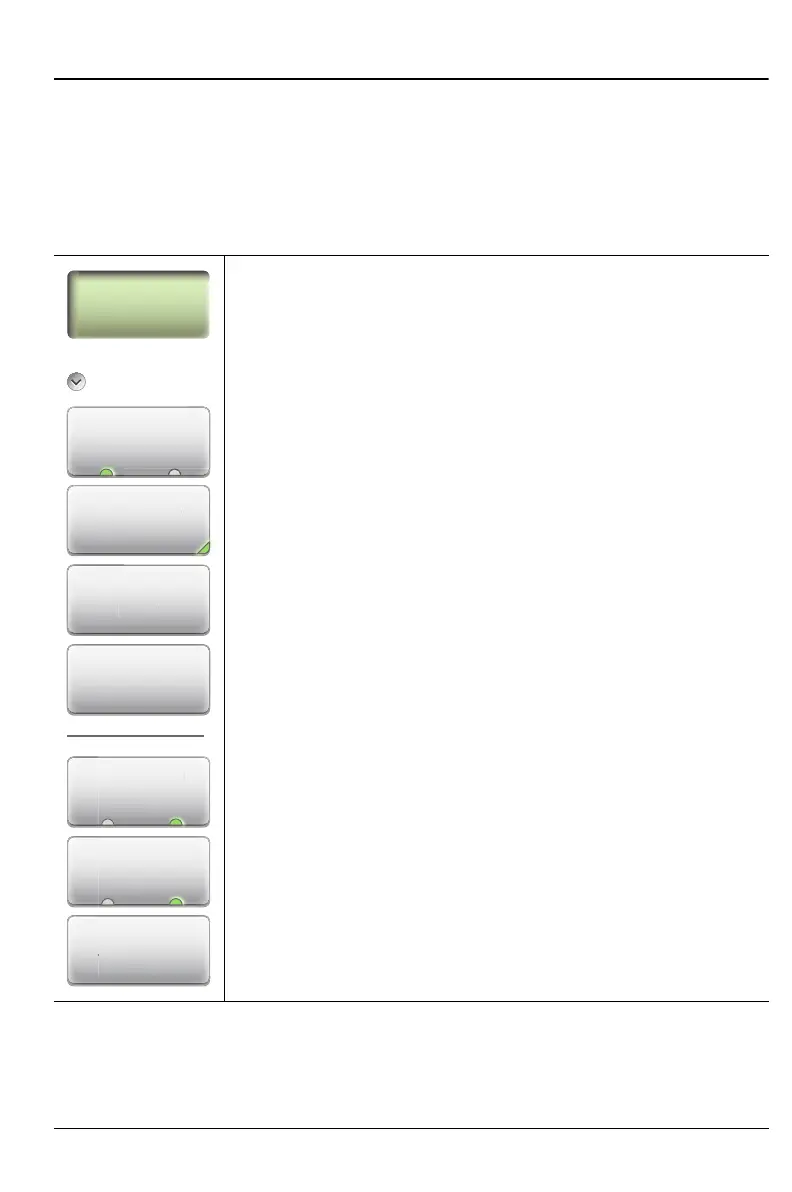
Active Limit (Upper Lower): This key toggles the active
limit line settings to the Upper or Lower limit.
Limit State: Press this key to display the Limit State menu
and select one of three limit states: Off, single, or
Segmented. The current limit state is displayed on the key.
Move Active Limit: Press this key to change the amplitude
of the limit line with the Up/Down Arrow keys, rotary knob,
or the number keypad. If the limit line is divided into
segments, then all segments move by the same amount.
Edit Segments: Press this key to display the Segments
menu and a table of limit line segments (see Figure 6-24
on page 6-33). Tap a segment (Upper or Lower), and then
choose a function from the Edit Segments menu
(Figure 6-25 on page 6-33). Refer also to “Edit Limit Values
Dialog Box” on page 6-34.
Limit Alarm (On Off): When turned On, the Limit Alarm
sounds a repeating beep when the trace touches the limit
line.
Pass/Fail Msg (On Off): When turned On, a Pass or Fail
message is displayed to indicate whether the trace touches
or exceeds the limit line (Fail).
Limit Preset: Turns the limit line off and clears amplitude
information. The next time that a limit line is turned on, it will
be displayed at the default location (center of the display).
Figure 6-22. Limit Menu
imit Al
r
On O
Move Active
Limit
Limit Preset
Limit
Active Limit
A
v
L
m
Upper Lower
Edit Segments
Pass/Fail Msg
m
t Prese
ss/Fai
Ms
Act
v
t St
t











 To Next Page