S820E UG PN: 10580-00343 Rev. H 8-29
Vector Voltmeter 8-13 Sweep Menu
8-13 Sweep Menu
Key Sequence: Sweep
Source Power
The default setting is High, which is more accurate because you are
measuring further above the noise floor. Use Low power for devices that are
sensitive to higher power levels, such as amplifiers. Source Power is not
applicable for A/B and B/A measurement types.
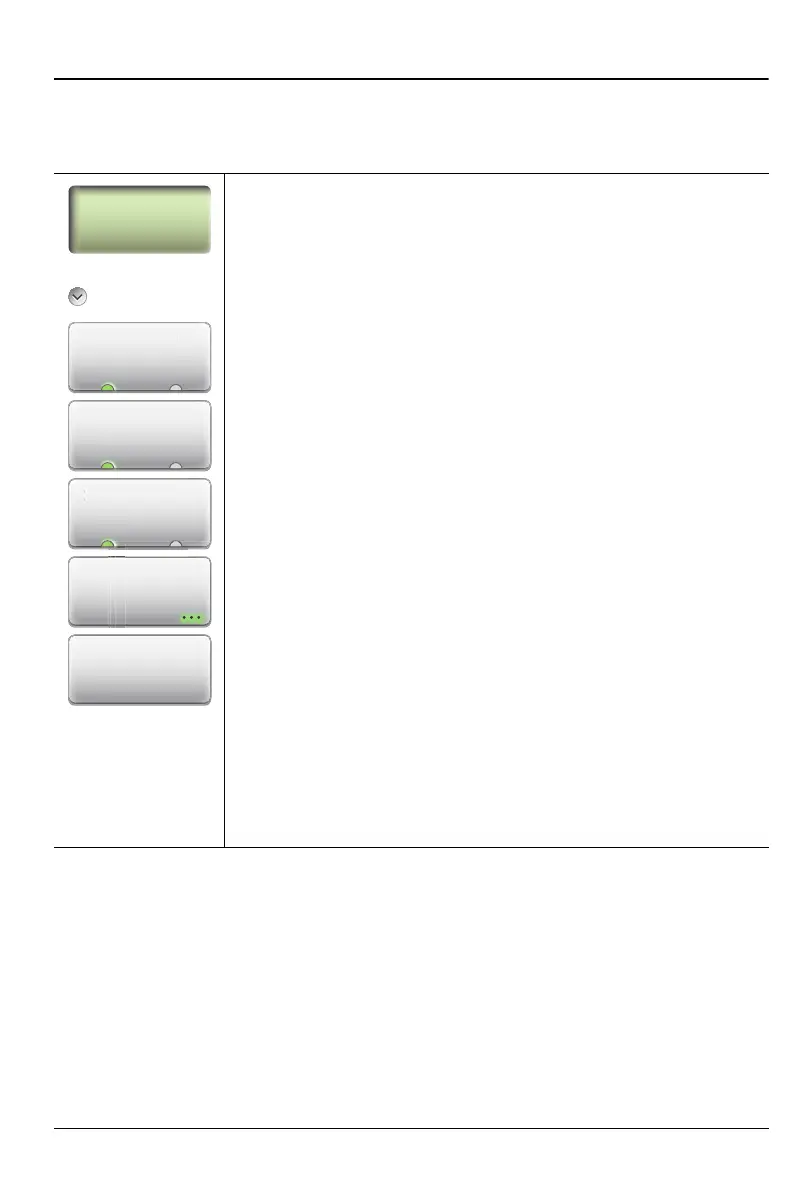
Sweep
Run/Hold
Run Hold: Default is Run. Press this submenu key to
toggle the sweep setting between Run and Hold. Hold stops
the active measurement and holds the current measurement
results. Run restores the active measurement and
continuously updates the active measurement results.
RF Pwr In Hold
On Off: Press this submenu key to toggle RF power On or
Off while the sweep is set to Hold.
Source Power
High Low: Press this submenu key to toggle the internal
source power setting to High power or Low power.
IFBW: Press this submenu key to display the IFBW dialog
box (see Figure 8-23 on page 8-30) and select a bandwidth.
Choose from:
100 kHz (maximum sweep speed)
1kHz
100 Hz (default)
10 Hz (maximum dynamic range)
Sweep Averaging: Press this submenu key to enter the
number of sweeps to use for averaging. Use the Up/Down
arrow keys, the rotary knob, or the number keypad. The
setting range is 1 to 1000.
Figure 8-22. Sweep Menu
Run
Hol
RF Pwr In H
l
S
rce P
we
High Low
IFBW
Sweep
Averaging











 To Next Page