S820E UG PN: 10580-00343 Rev. H 2-17
Instrument Overview 2-5 Touchscreen Display Overview
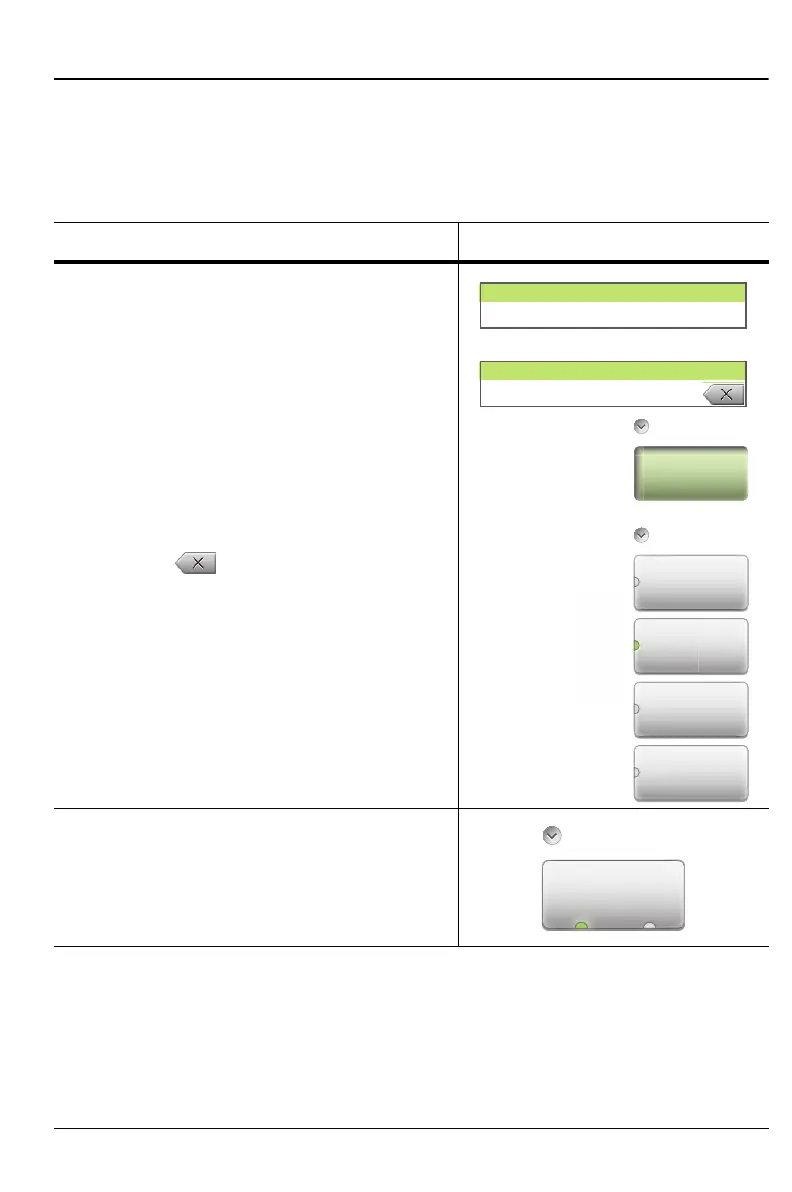
Submenu Button Types
The Site Master interface uses several submenu button types. Each is
described in Table 2-2.
Table 2-2. Submenu Button Examples (1 of 2)
Button Description Button Example
1. Numeric Entry
example:
Start Frequency (F1) button in the Freq/Dist
menu.
Opens an “Edit Parameter Window”.
Change the current value using the rotary
knob, Up/Down Arrow keys, or number
keypad. Using the keypad displays
terminator buttons (in frequency units).
Press one of the buttons to complete the
entry, or press the Esc key to cancel the
entry. Press to delete the last number
entered. Entering a value beyond the range
of the instrument sets the parameter to the
maximum or minimum value.
2. Toggle
Each press of the button cycles between
the available states. The active state is
indicated by the glowing green semicircle at
the bottom of the button.
Start
Frequency
(F1)
Units
MHz
H
GHz
kHz
Hz
Frequency
Start Frequency (F1)
2000 MHz
Start Frequency (F1)
2200
Run/HoldRun
Ho
Run Hold
Sweep Setup











 To Next Page