1-12 PN: 10580-00343 Rev. H S820E UG
1-12 Secure Environment Workplace General Information
Erase All User Files in Internal Memory
Perform a Master Reset:
1. Press the Preset (1) button.
2. Press the Reset drop down submenu then press the Reset button. Select
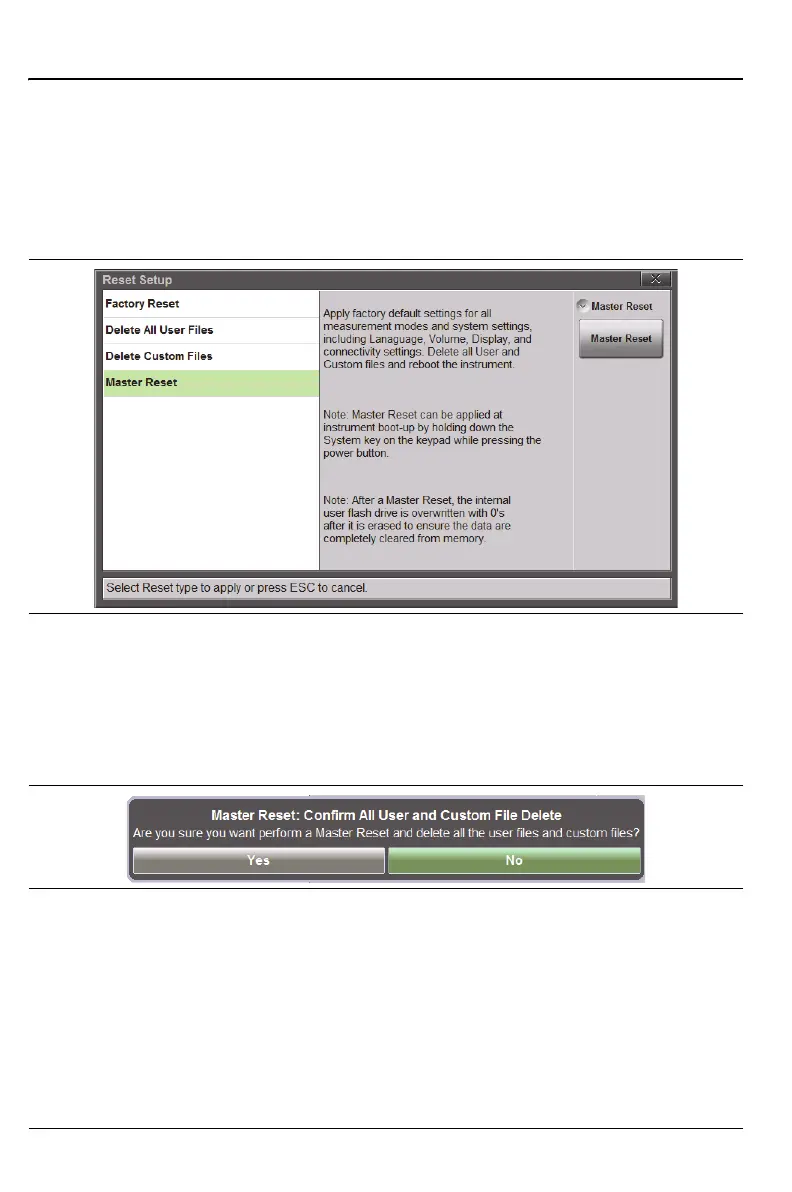
Master Reset and read the description on the screen (Figure 1-3).
3. To erase all user files in internal memory, press the Master Reset
button. A dialog box is displayed, warning that all settings will be
returned to factory default values and that all user files will be deleted
(Figure 1-4). Deleted files cannot be recovered.
4. Press Yes to complete the master reset and reboot the instrument.
5. The instrument is now reset.
Refer to the “Preset Menu” on page 11-27 for additional information on reset
options.
Figure 1-3. Master Reset
Figure 1-4. Master Reset Confirmation











 To Next Page