10-24 PN: 10580-00343 Rev. H S820E UG
10-8 Delete Files File Management
10-8 Delete Files
The Site Master S820E allows multiple files and folder to be deleted at the
same time from either internal memory or an external USB drive.
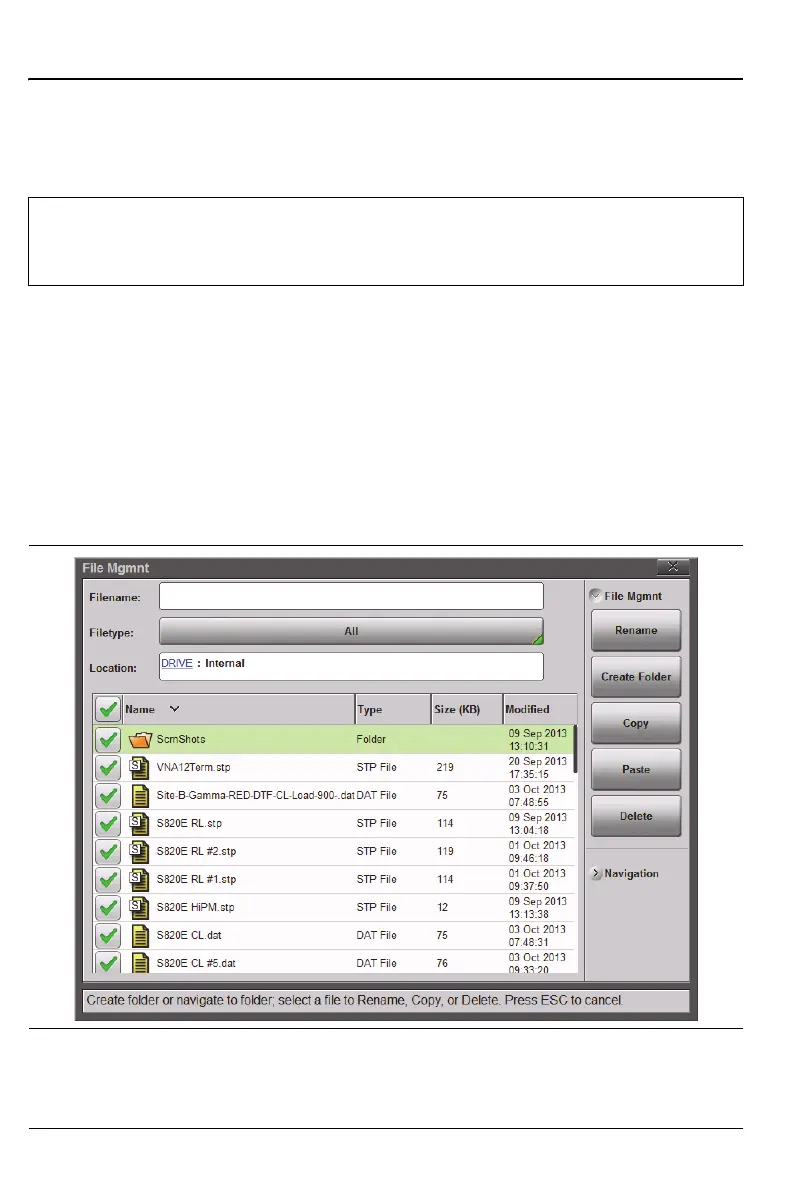
The example below describes deleting all the files from a folder in internal
memory.
1. From the File main menu, press the File Mgmnt submenu key. Double
tap on the Internal memory icon (Figure 10-3 on page 10-6)
2. Select the files and folders to delete. If desired, use the check box
column header to select all of the files in the current location or folder
(Figure 10-23). Use the Navigation submenu buttons as needed to move
through a long list of files.
Warning
The Delete button (after user confirmation) will delete all selected
files, even files not created by the Site Master. Use caution when
deleting files. After being deleted, files are not recoverable.
Figure 10-23.Selecting Multiple Items to Delete











 To Next Page