11-24 PN: 10580-00343 Rev. H S820E UG
11-8 System Menu System Operations
GPS Menu
To use GPS, you must have an external USB-based GPS module connected.
Key Sequence: System (8) > Connectivity > GPS
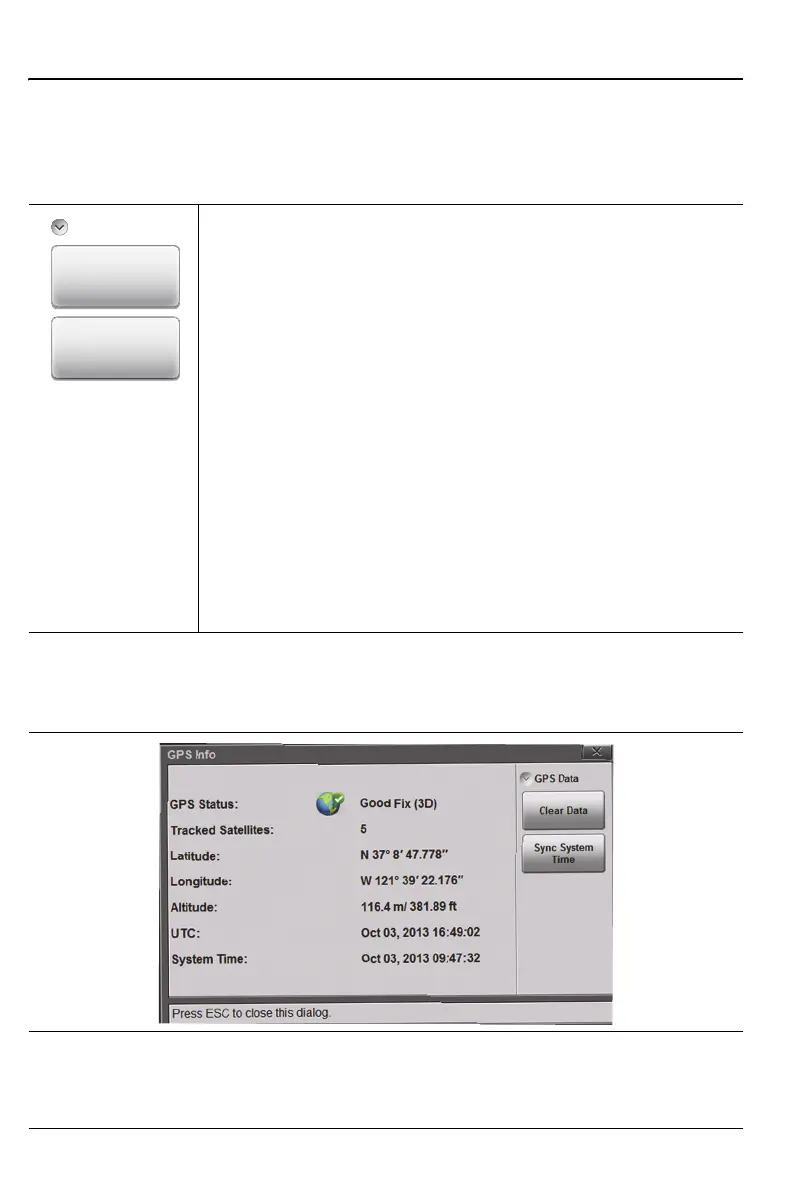
GPS Data
Clear Data: Press this key to clear the Site Master’s current
GPS location data or last known GPS location data. If a
compatible GPS module is attached, then the instrument will
attempt to re-acquire a GPS fix.
Note: The last Good Fix location information will be retained
until the instrument is powered off, the Clear Data button is
pressed, or a new Good Fix is acquired. The Good Fix or the
Last Fix location information is store d in the measurement
file and is included in the screen capture header/footer.
Sync System Time: Press this key to sync the instrument’s
time setting with the current GPS information. Sync only
works with a good GPS fix.
After a valid sync the instrument time is reset based on the
UTC time plus/minus the time zone offset. Refer to “Time
Zone Settings” on page 11-20.
Figure 11-20.GPS Menu
Figure 11-21.GPS Info
GPS Data
Clear Data
Sync System
Time











 To Next Page