S820E UG PN: 10580-00343 Rev. H 2-19
Instrument Overview 2-5 Touchscreen Display Overview
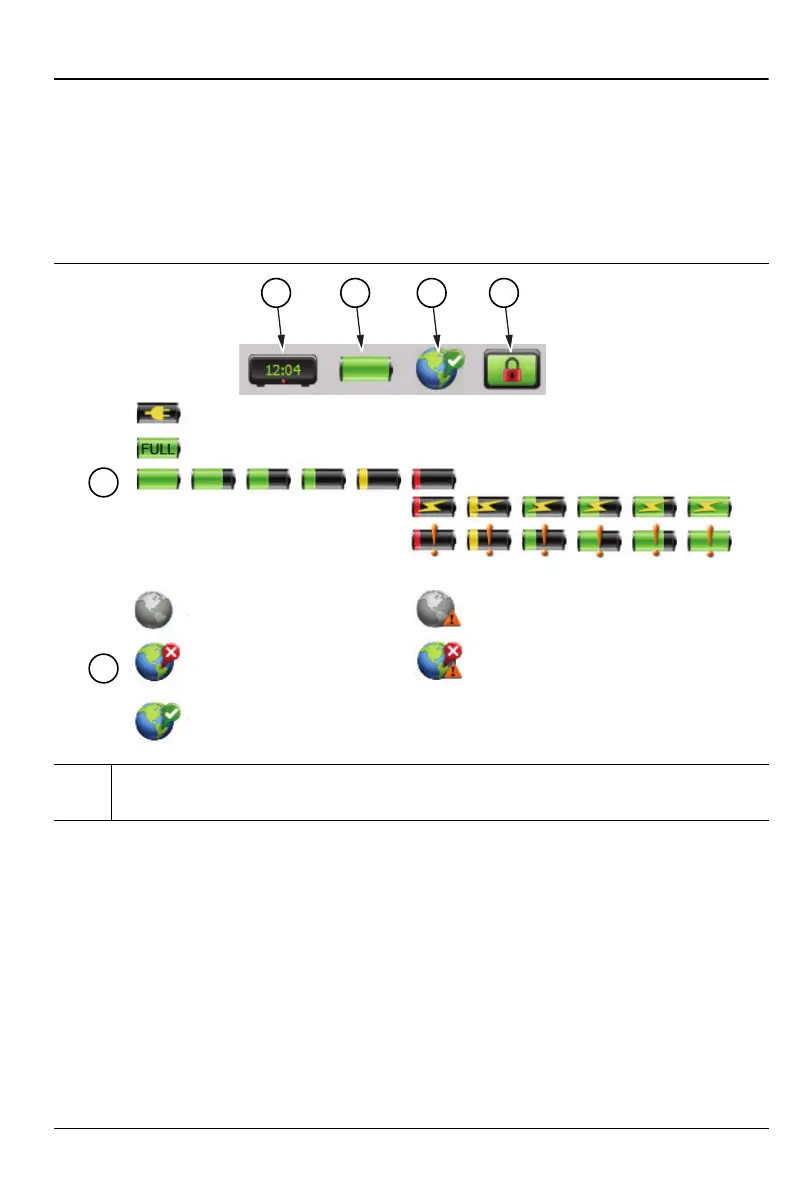
Status Tool Bar
The Status Tool Bar includes icons to display the current time and date,
battery charge, GPS status, and screen lock state. Tap one of the icons for
additional information. Figure 2-8 shows the icons that are displayed in the
Status Tool Bar area.
1. Clock icon. Press to set the current date, time, and time zone. Refer to
“Date/Time” on page 11-15.
Figure 2-8. Status Tool Bar Icons
1 2 3 4
2
3
a. Not Connected, No GPS d. Not Connected, Last fix
c. Connected, Good fix
e. Connected, Last fix
b. Connected, No fix
. Not Connected
No GP
c. Connected
Good fi
b. Connected
No fi











 To Next Page