11-2 PN: 10580-00343 Rev. H S820E UG
11-2 Self Test System Operations
11-2 Self Test
At power on, the Site Master runs through a series of checks to ensure that
the system is functioning properly.
If the Site Master is within the operating temperature range with a charged
battery and fails the self test, then contact your Anritsu Service Center
(http://www.anritsu.com/Contact.asp).
To start a self test when the system is already powered up:
1. Press the System (8) key.
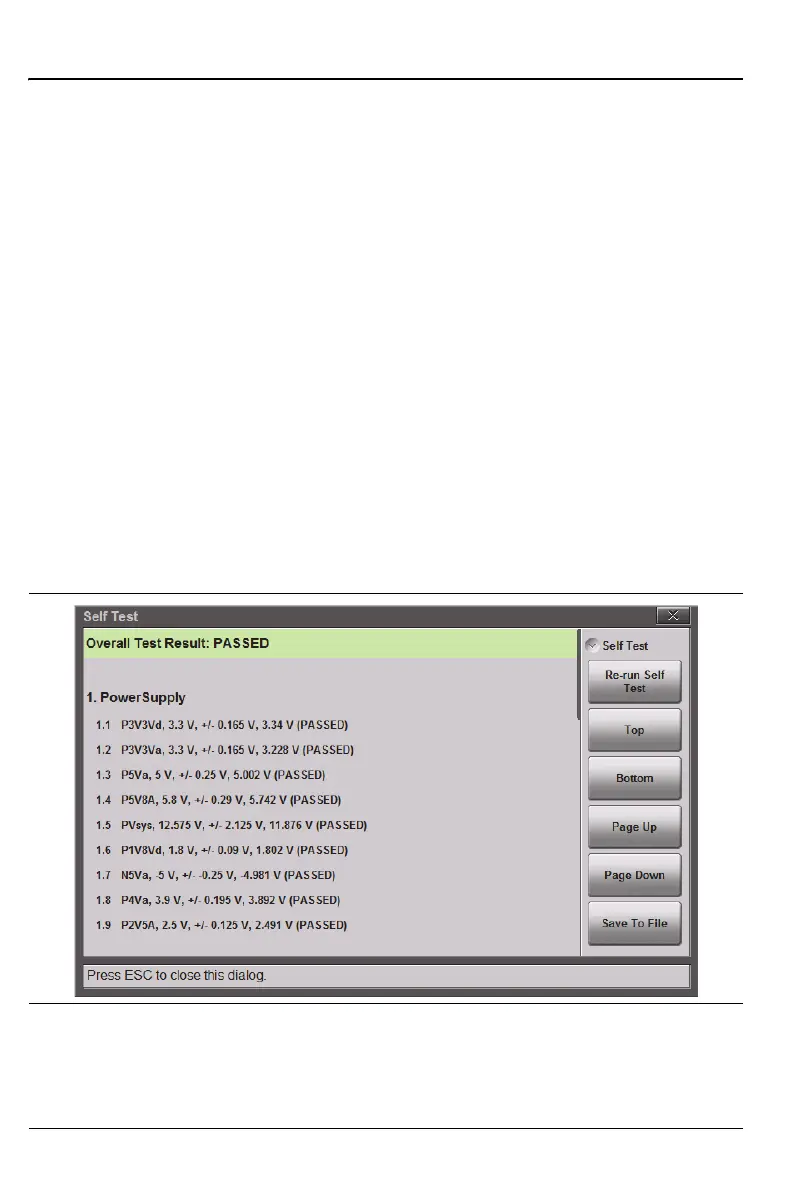
2. Press the Diagnostics submenu, then Self Test. The test starts, and the
results are displayed in the dialog box (Figure 11-1).
3. Use the Up/Down Arrow keys, rotary knob, or on screen navigation keys
to move through the test results.
4. Pressing Save to File automatically creates a text file of the test results.
The file is saved to internal memory and labeled
S820ESelfTest#X.txt. The .txt file can be copied to a USB
memory device (using the copy/paste function in File Mgmnt) and
viewed on a PC with a text reader or word processor.
Figure 11-1. Site Master Self Test











 To Next Page