S820E UG PN: 10580-00343 Rev. H 10-27
File Management 10-10 File Menu Overview
10-10 File Menu Overview
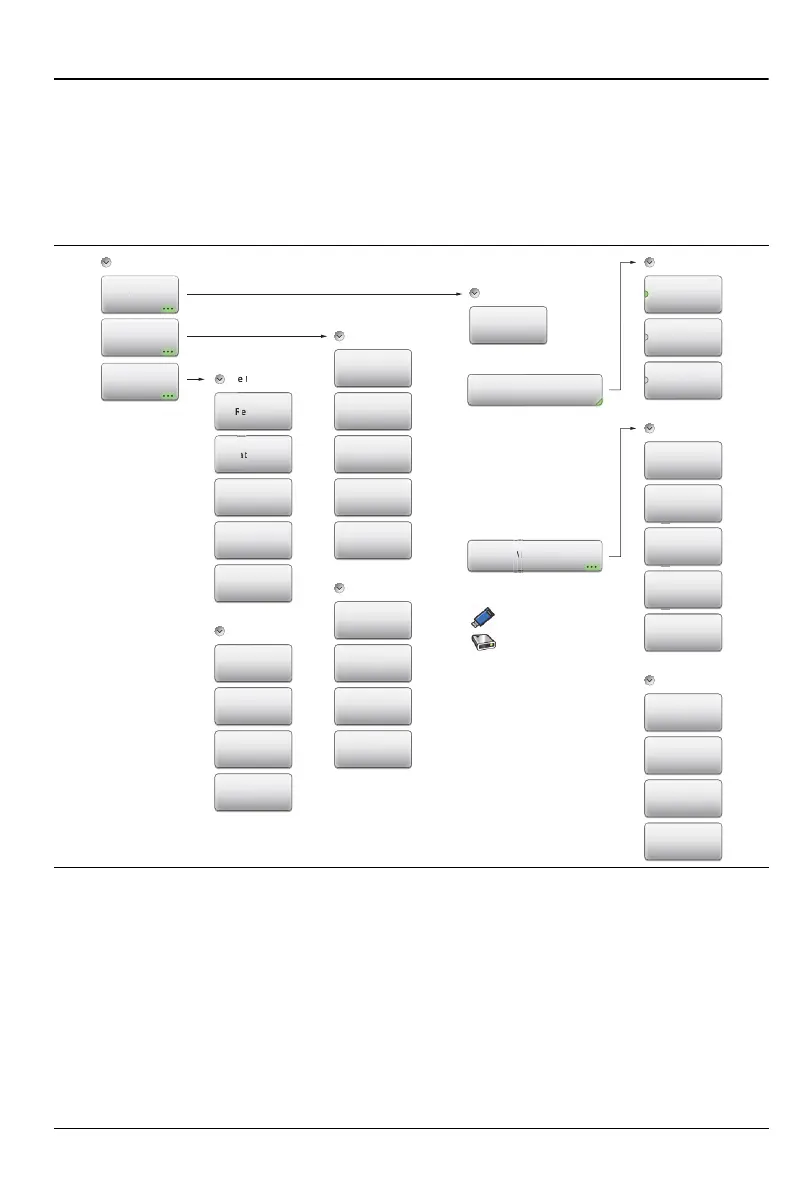
Figure 10-27 shows the map of the File menus and submenus. The submenus
are listed in the order they appear on the display from top to bottom under
each main menu. The selectable file types are different in VIP Mode (see
Figure 15-7 on page 15-8).
Figure 10-27.File Menu Keys
Save
Recall
v
nterna
File
Save
Save
Measurement
Filetype:
Location:
Choose a storage drive.
USB
Internal
Setup
(.stp)
Measurement
(.dat)
ScreenShot
(.png)
File Mgmnt
Rename
Create Folder
Copy
Paste
Delete
File Mgmnt
Rec
i
e M
mn
Navigation
Top
Bottom
Page Up
Page Down
File Recall
File Type
Recall
Delete
Navigation
Top
Bottom
Page Up
Page Down
File Save
Set Location
Create Folder
Copy
Paste
Delete
Navigation
Top
Bottom
Page Up
Page Down











 To Next Page