S820E UG PN: 10580-00343 Rev. H 9-31
High Accuracy Power Meter 9-14 Amplitude Menu
9-14 Amplitude Menu
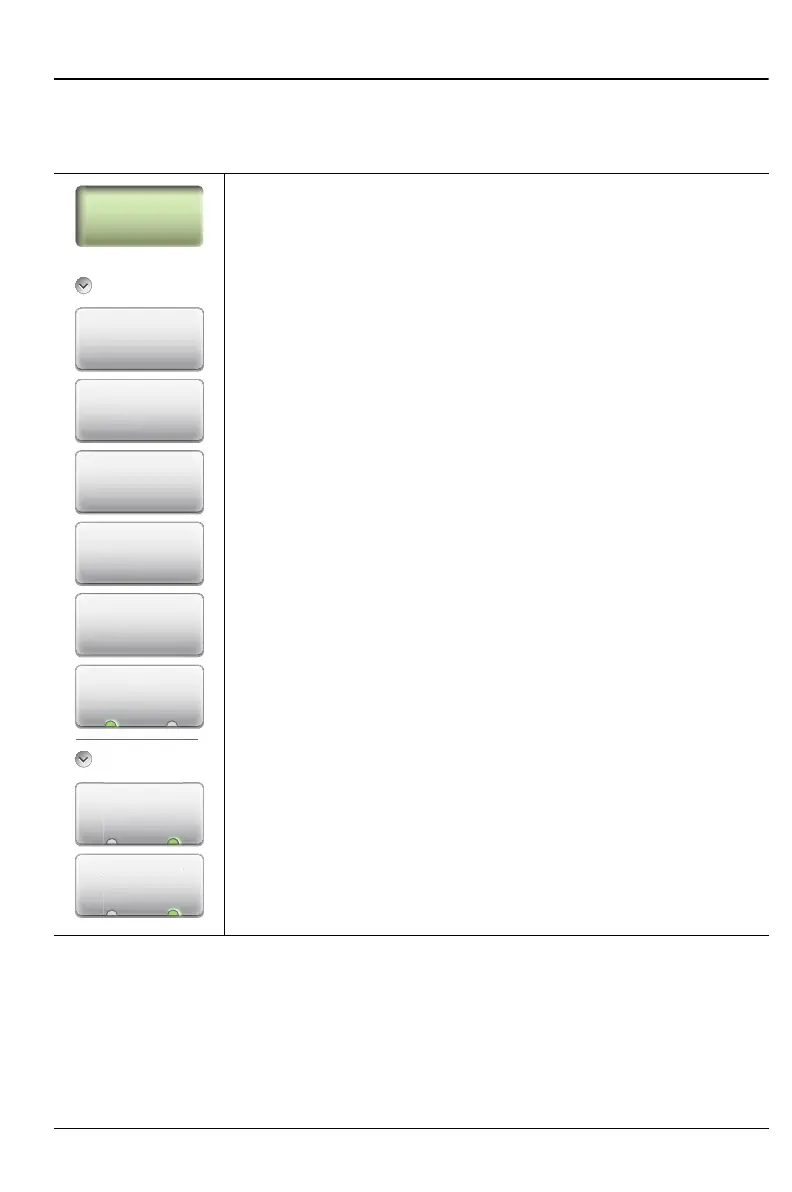
Key Sequence: Amplitude
Amplitude
Max Value: Sets the maximum value on the display in dBm
or Watts.
Min Value: Sets the minimum value on the display in dBm
or Watts.
Autoscale: Adjusts the Top and Bottom values so that the
power meter needle will be shown in the middle of the analog
display.
Fullscale: Adjusts the Top and Bottom values to their
maximum allowed values (default settings).
Offset Value: Used to set external power attenuation or
gain. The displayed power level is offset by the dB value
entered.
Units dBm Watts: Sets the unit of measure for the power
meter.
Relative
Fwd Relative On Off: Press this submenu key to toggle On
or Off. This measurement shows the relative level of the
current forward power level to the forward power level when
Fwd Relative was turned on.
Rev Relative On Off: Press this submenu key to toggle On
or Off. This measurement shows the relative level of the
current reverse power level to the reverse power level when
Rev Relative was turned on.
Note: The message Relative On shows in the message
area when either Fwd or Rev Relative is on.
Figure 9-26. High Accuracy PM (MA24105A) Amplitude Menu
Amplitude
Max Value
Min Value
Amplitude
Fwd Relative
Re
ativ
ev Re
v
On O
Autoscale
Fullscale
Oset Value
Units
Un











 To Next Page