10-8 PN: 10580-00343 Rev. H S820E UG
10-4 Save Files File Management
Set the File Type
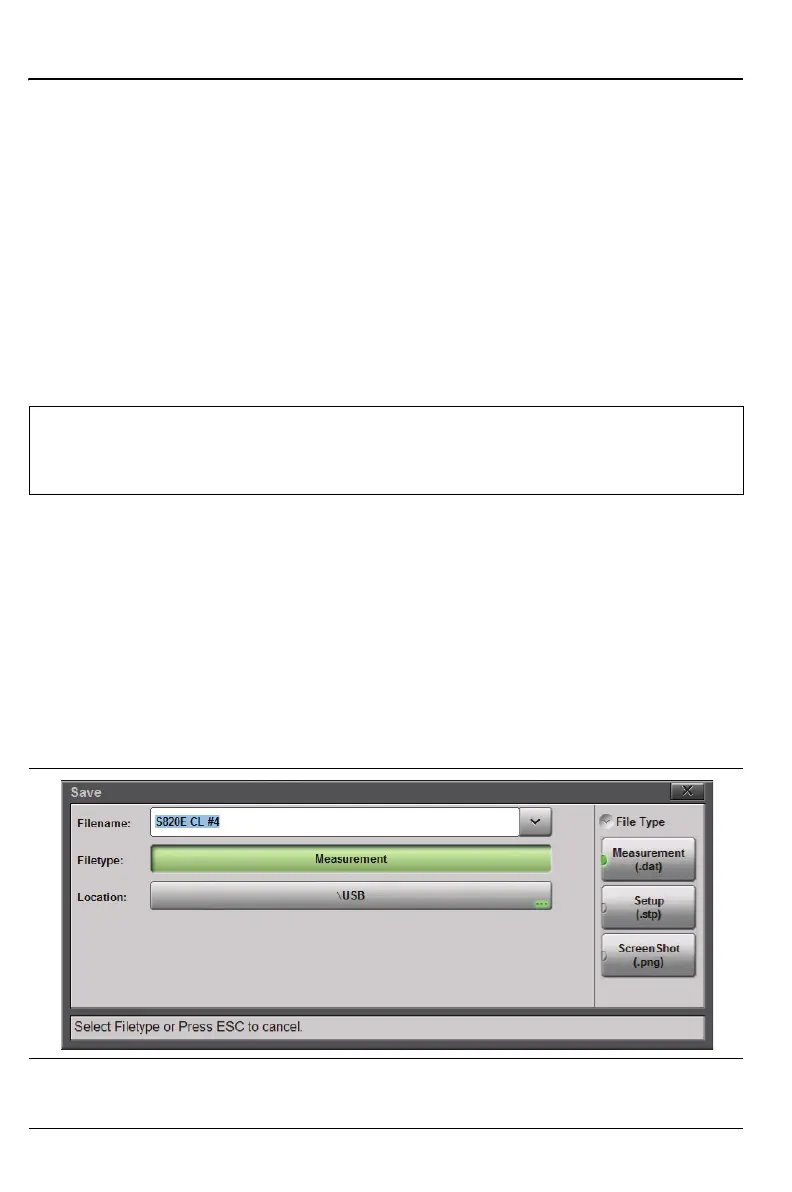
The next step after setting the save location is choosing the file type to save.
In the Save dialog box (File (7) > Save), press Filetype, then select
Measurement, Setup, or ScreenShot (Figure 10-5). The default file type is
Measurement.
Measurement (.dat) is the default setting. Measurement files are typically
saved for reporting and monitoring. Measurement files contain all the
measurement data and setup data described below (except for the calibration
coefficients). They can be recalled and viewed on the instrument and a static
trace or measurement can be viewed and edited on a PC with Line Sweep
Tools (Chapter 13).
Setup (.stp) files are typically saved for later recall. Saving setup files helps
ensure consistent instrument setup when making future measurements.
Setup files contain basic instrument setup details including: measurement
type, frequency span, distance span, DTF setup, amplitude setting, markers,
limit line, calibration coefficients, and additional instrument settings
(data points, run/hold status and RF immunity status).
Screen shot (.png) files are typically saved for reporting. The files contain a
screen capture of the current display. The “look” of the file is set using the
“Display/Audio Menu” on page 11-21.
Note
In Video Inspection Probe mode, the Measurement file type (.vipi
extension) saves the captured VIP image and analysis results.
Refer to Chapter 15, “Video Inspection Probe (VIP)”.
Figure 10-5. Set the File Type











 To Next Page