8-22 PN: 10580-00343 Rev. H S820E UG
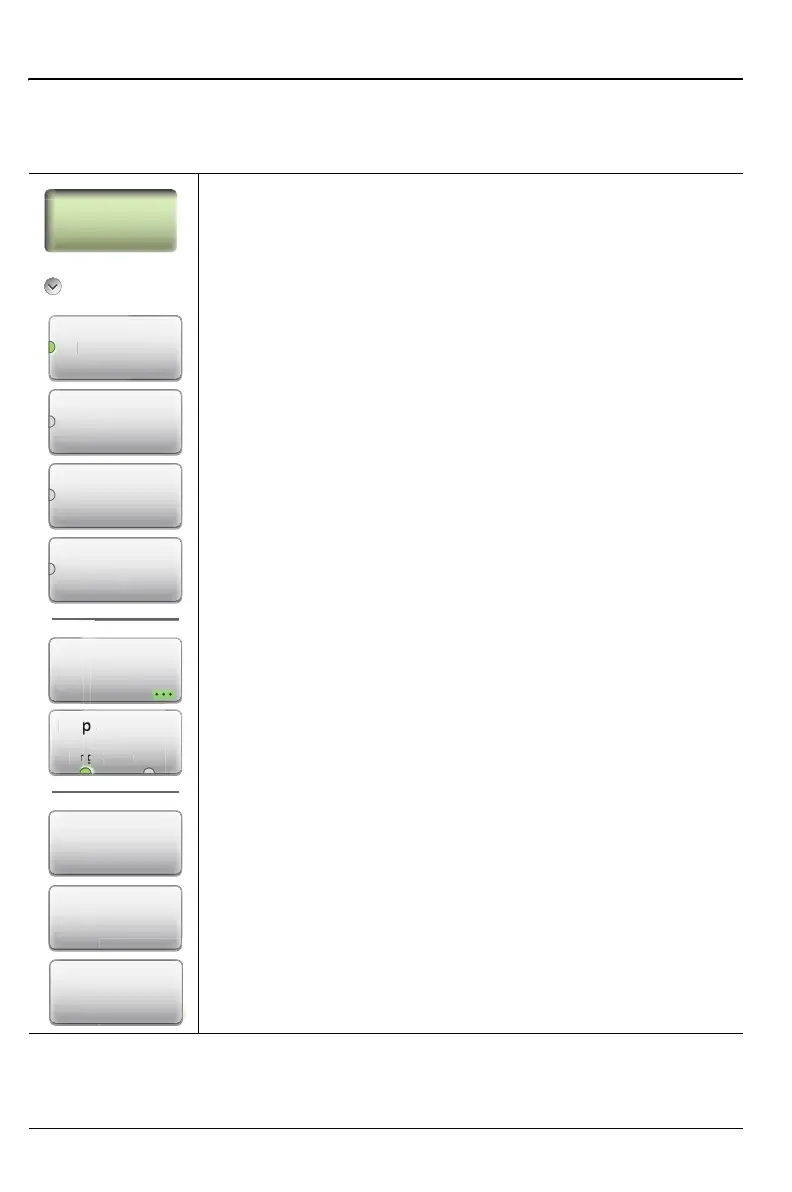
8-8 Measurement Menu (1 of 2) Vector Voltmeter
8-8 Measurement Menu (1 of 2)
Key Sequence: Measurement
Measurement
Reflection: Press this submenu key to select a reflection
(Port 1) measurement.
Transmission: Press this submenu key to select a
transmission (Port 1 to Port 2) measurement.
A/B: Press this submenu key to display the result of
Port 1/Port 2.
B/A: Press this submenu key to display the result of
Port 2/Port 1.
Measurement Format: Press this submenu key to open the
Measurement format dialog box and select one of the
available formats. Figure 8-17 on page 8-25 Choose from:
LogMag/Phase
LinMag/Phase
SWR
Impedance
Display Format
Single Table: Press this submenu key to toggle the
display format to Single or Table. Single is the default setting.
With Single format, the selected measurement type is
displayed as shown in Figure 8-17 on page 8-25. With Table
selected, 12 rows are available to display up to
12 measurements. Refer to section “Table Display Format”
on page 8-12.
Figure 8-14. Measurement Menu – 1 of 2
Re
ect
Transmission
A/B
B/A
Display Format
Dis
y Form
Ta
Measurement
Format
Save
Reference
Clear
Reference
Clear Table











 To Next Page