S820E UG PN: 10580-00343 Rev. H 3-47
Cable and Antenna Measurements 3-8 Trace
3-8 Trace
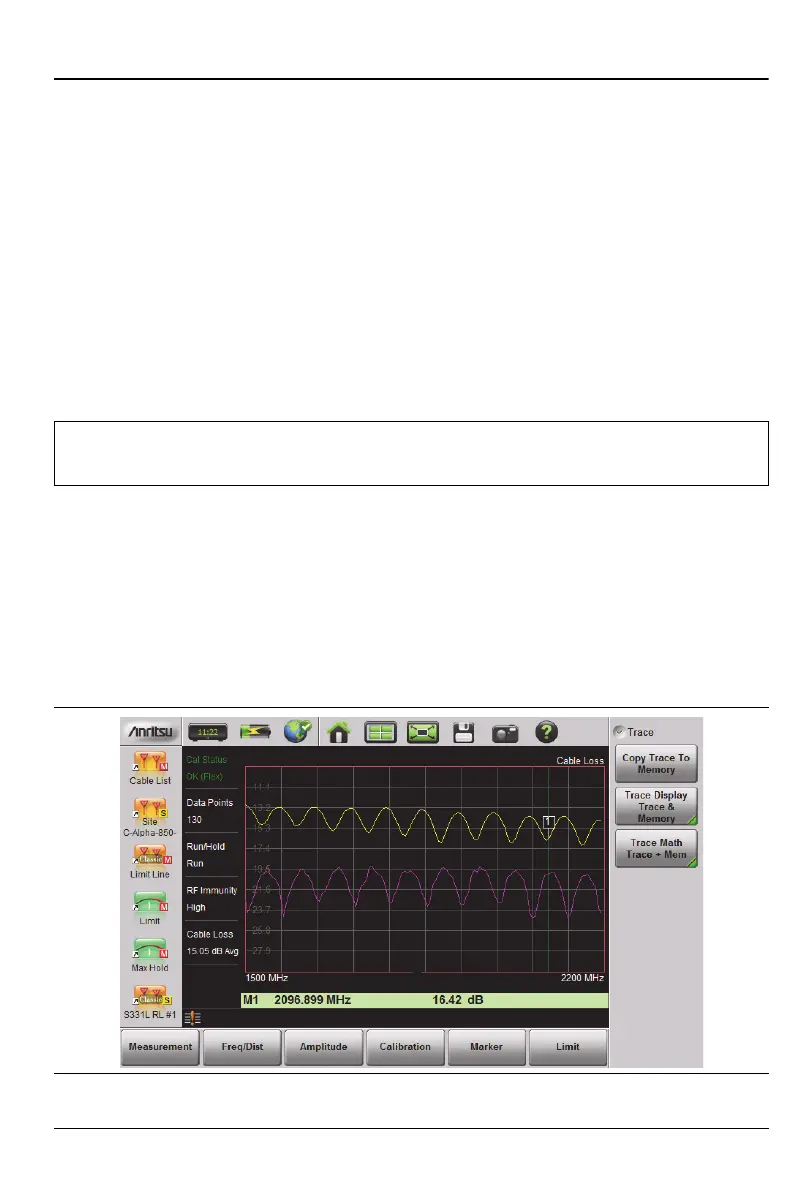
The Site Master S820E allows you to concurrently view the live trace plus a
second trace that is stored in trace memory. You can compare the two traces
visually or by using trace math functions. Pressing the Trace (5) main menu
key brings up the trace functions.
Overview of Traces
• Recalled measurements (.dat files) from internal memory or a USB
stick are automatically copied to trace memory and are then available
to be displayed. To display the recalled measurement trace along with
the live measurement, select Trace & Memory from the Trace Display
menu.
• Copy Trace to Memory replaces whatever is in memory with the live
(yellow) trace. The memory trace (purple) is displayed behind the live
(yellow) trace.
• The default view is live Trace Only. View options (Trace Display) also
include viewing only the trace in memory or both traces.
• View only trace memory to have marker values apply to the purple
trace.
Note
Recalled measurements may change the current instrument
settings.
Figure 3-29. Displaying a Live Trace and a Static Trace from Trace Memory











 To Next Page