S820E UG PN: 10580-00343 Rev. H 6-33
VNA Mode 6-13 Limit State Menu
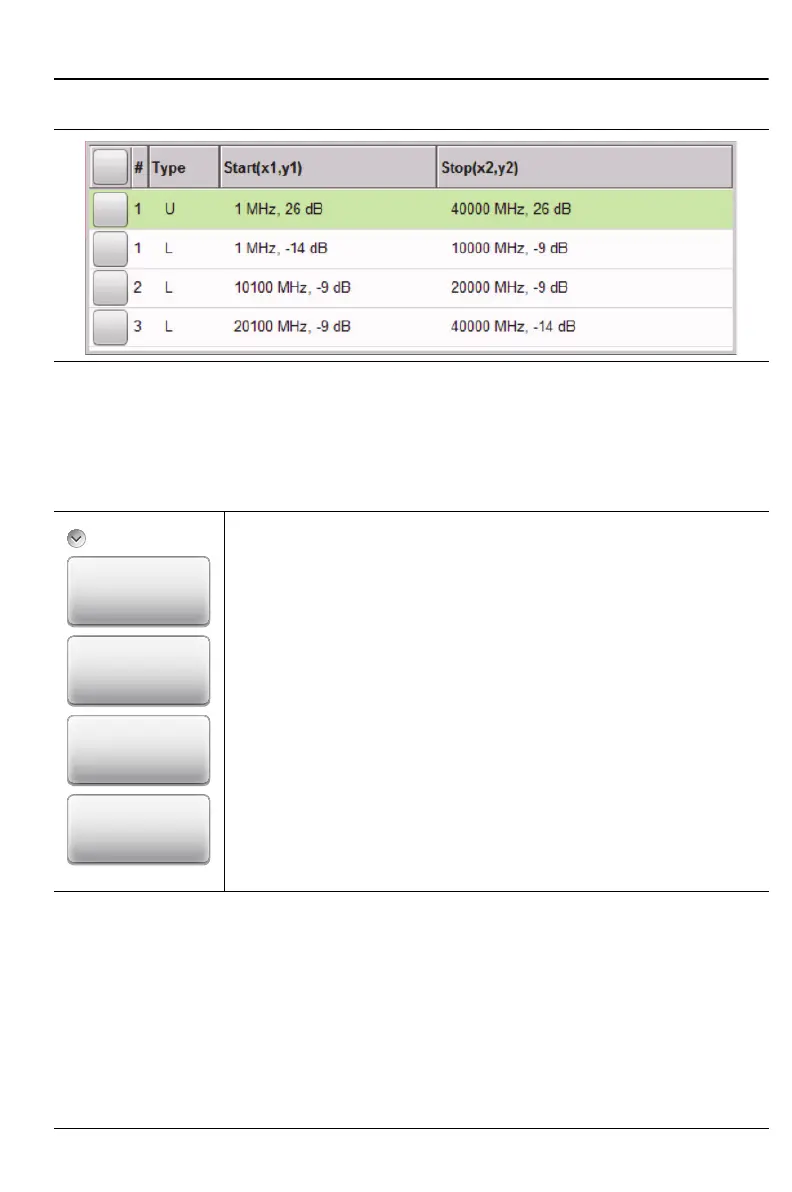
Edit Segments List Box
Edit Segments (Limit) Menu
Key Sequence: Limit > Edit Segments
Figure 6-24. Edit Segments List Box
Edit Segments
Add: Press this key to add a segment. A dialog box is
displayed allowing selection of Upper or Lower limit lines and
settings for Start and Stop x-axis values and y-axis values.
Press Enter to save changes, or press ESC to close without
saving. Refer to “Edit Limit Values Dialog Box” on page 6-34.
Edit: Press this key to edit the highlighted segment. A dialog
box is displayed allowing selection of Upper or Lower limit
lines and settings for Start and Stop x-axis values and y-axis
values. Press Enter to save changes, or press ESC to close
without saving.
Delete: Press this key to delete the selected limit segments.
Close (ESC): Press this key (or press the Esc key) to close
the Segments menu and return to the Limit menu.
Figure 6-25. Limit Line Segments Menu
Delete
Close
(ESC)
Add
Edit
Segments











 To Next Page