10-6 PN: 10580-00343 Rev. H S820E UG
10-4 Save Files File Management
2. Files can also be saved to an external USB flash drive. Insert a USB
flash drive into the Site Master USB Type-A connector (Figure 2-1) and
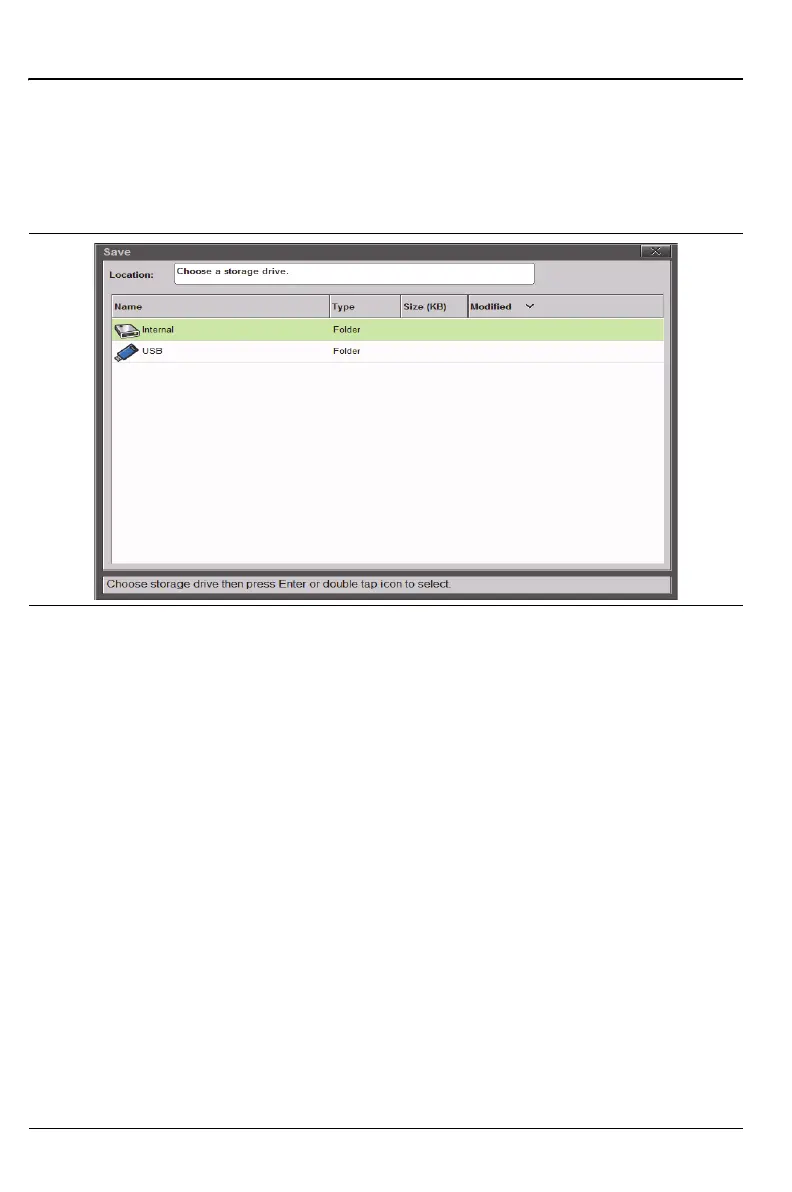
double tap on DRIVE: (Figure 10-2) to display the top navigation level
showing both the internal memory and the external USB drive
(Figure 10-3 on page 10-6).
3. Double tap on the USB flash drive icon and, if desired, create folders for
the saved files. Press the Set Location button. The location for saving is
now set to the external USB drive (\USB). Refer to Figure 10-4
on page 10-7.
Double Tap Alternative
An alternative method is available for double tapping in order to move in and
out of folders and directories. Use the Left and Right Arrow keys on the
instrument keypad. The Right Arrow key moves into the directory or folder,
and the Left Arrow key moves out of the directory or folder. The Up and Down
Arrow keys may be used to scroll through multiple files within any folder.
Figure 10-3. Choose a Storage Drive











 To Next Page