2
Load paper.
(Drawer 2
*
, 3
*
)
"Loading Paper in the Paper Drawer"
3
Register the paper
feeder in the printer
driver.
"Setting the Paper Feeder Information"
4
Check the printing
operation.
Check the operations by Test Page in Windows.
"Basic Operations/Various Information for Windows"
*
Paper drawer of the paper feeder
Setting the Paper Feeder Information
After installing the paper feeder, set the paper feeder information.
The operation method to use with Windows is explained here. If you are a Macintosh user, see the "Online Manual."
1
Open the printer folder.
"Basic Operations/Various Information for Windows"
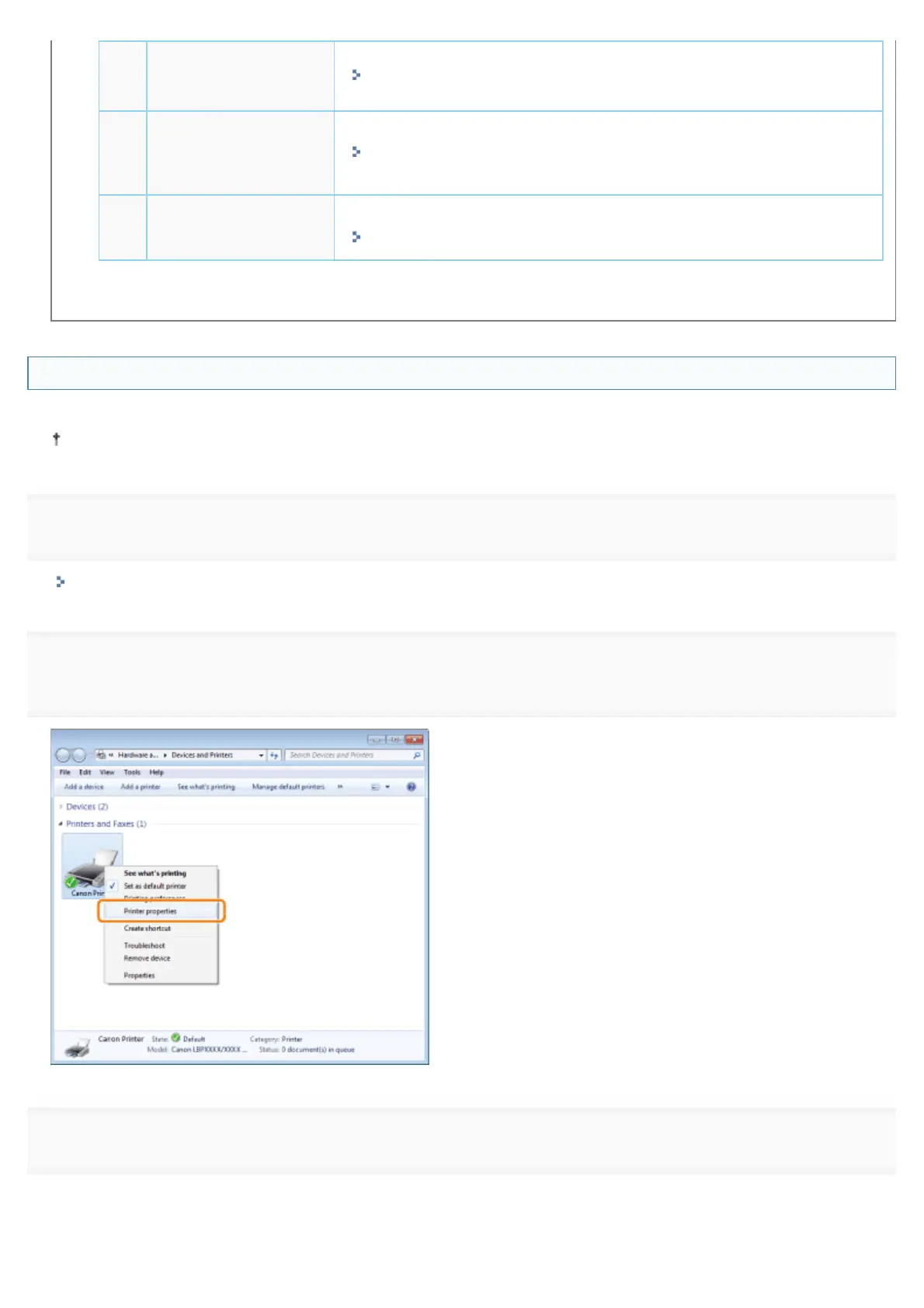
2
Right-click the icon for the printer, and then select [Printer properties] or [Properties] from the pop-up
menu.
3
Obtain paper feeder information.
(1) Display the [Device Settings] tab.
(2) Click [Get Device Status].
㻝㻜㻣㻌㻛㻌㻥㻣㻜


 To Next Page
 Loading...











