CAPINTEC, INC. CAPTUS
®
3000
Setup Counting Parameters
1. Click the
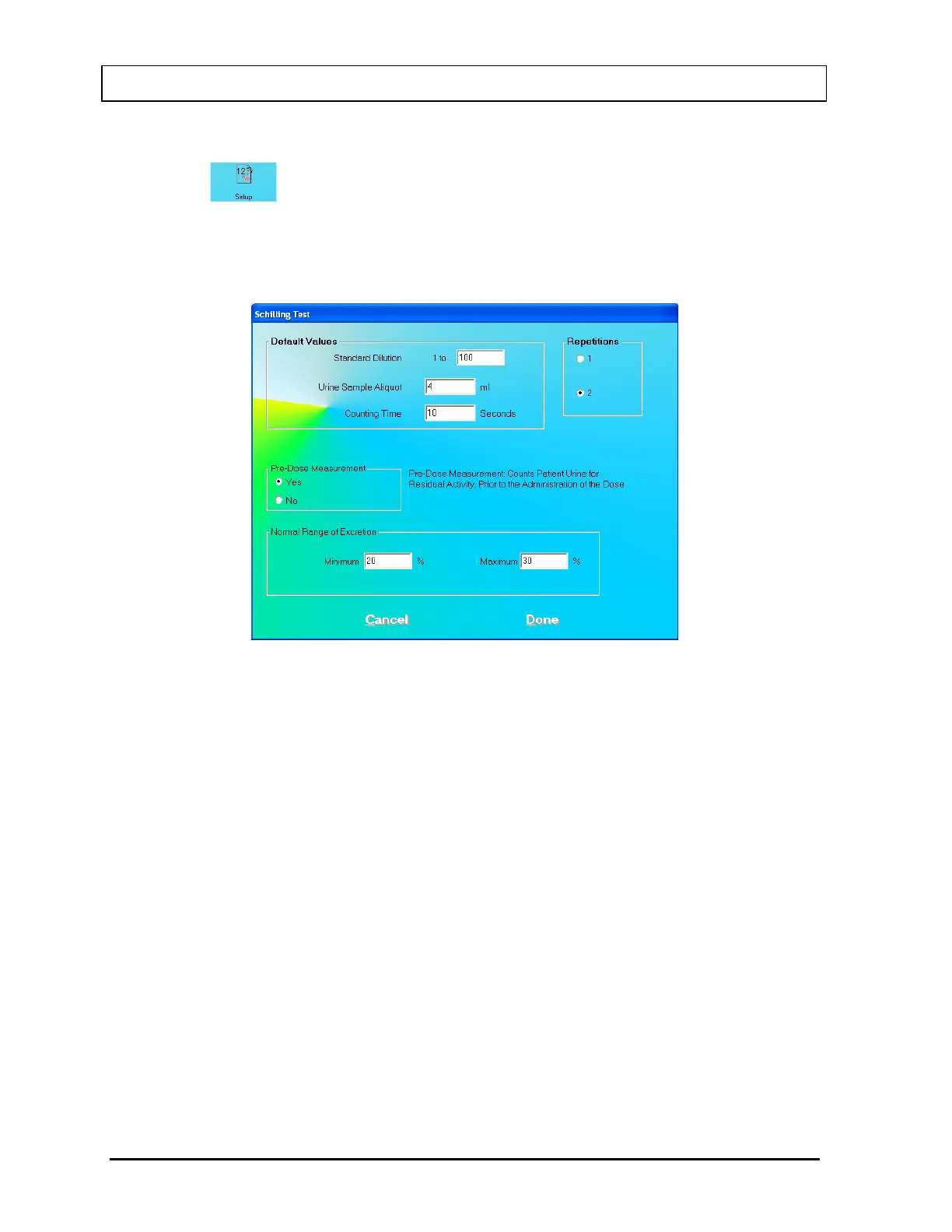
icon on Figure 10-2 Schilling Test Main Screen. The screen appears
as shown in Figure 10-3. This screen allows the user to enter counting parameters, which
will be the default settings each time a patient is entered into the Schilling Test patient
directory. These settings may be changed as needed for any individual patient or
patients.
Figure 10-3
Default Values frame
Standard Dilution – Generally, the activity of the standard solution is too high to
measure in a well counter without dilution. A 1 to 100 dilution means that 1 part of
standard solution is mixed with 99 parts of non-radioactive solution to make a diluted
solution of 1%. A 1 to 50 dilution is a 2% solution, and so on. The default value is set
to 100.
Urine Sample Aliquot – This is the volume used for the sample counted in the well
counter and should not exceed the useful counting dimensions of the well. An aliquot
sample volume of 4 ml is a good sample volume for the well detector provided with
the CAPTUS
®
3000 system.
Note: The aliquot volume must be the same for both the patient’s sample and the
standard solution sample.
Counting Time – This is the duration for counting, in seconds, each time a
measurement is performed. The default value is set to 60 seconds.
Repetitions frame – This is the number of repetitions each time a measurement is made.
For two repetitions, the average value is used in calculations. The second repetition may
be skipped during the measurement procedure, if so desired.
10-4 LAB TESTS November 13



 To Next Page