GE HEALTHCARE
DIRECTION FC091194, REVISION 11 VIVID 7 SERVICE MANUAL
Chapter 4 - Functional Checks 4 - 79
4-3-21-2 LCD Screen Movement
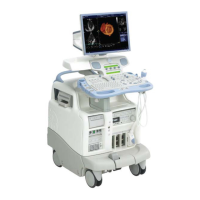
Figure 4-42 LCD Display Platform Maneuverability Checks
Table 4-42 LCD Display Platform Maneuverability Checks
STEP TASK NOTE(S)
1 MOVE UP/DOWN
Use both hands, one at the top of the LCD and one at
the bottom, to adjust the LCD up and down,
2 TILT FORWARD/BACK
Use both hands, one at the top of the LCD and one at
the bottom, to rotate the screen forward and back.
3 MOVE LEFT/RIGHT
Use both hands, one at the left frame of the LCD and
one at the right frame, to adjust the screen left and
right.
HOLD HERE FOR
STEPS 1 and 2
HOLD HERE FOR
STEPS 1 and 2
HOLD HERE
FOR STEP 3
HOLD HERE
FOR STEP 3


 To Next Page








