GE HEALTHCARE
DIRECTION FC091194, REVISION 11 VIVID 7 SERVICE MANUAL
8 - 62 Section 8-9 - Software Loading Procedure - Software Version v2.x
8-9-10 Record SW Option Keys - Software Version v2.x
1.) Press CONFIG (F2) and log on as adm, see 4-2-4 "Log On to the System as ‘ADM’" on page 4-12.
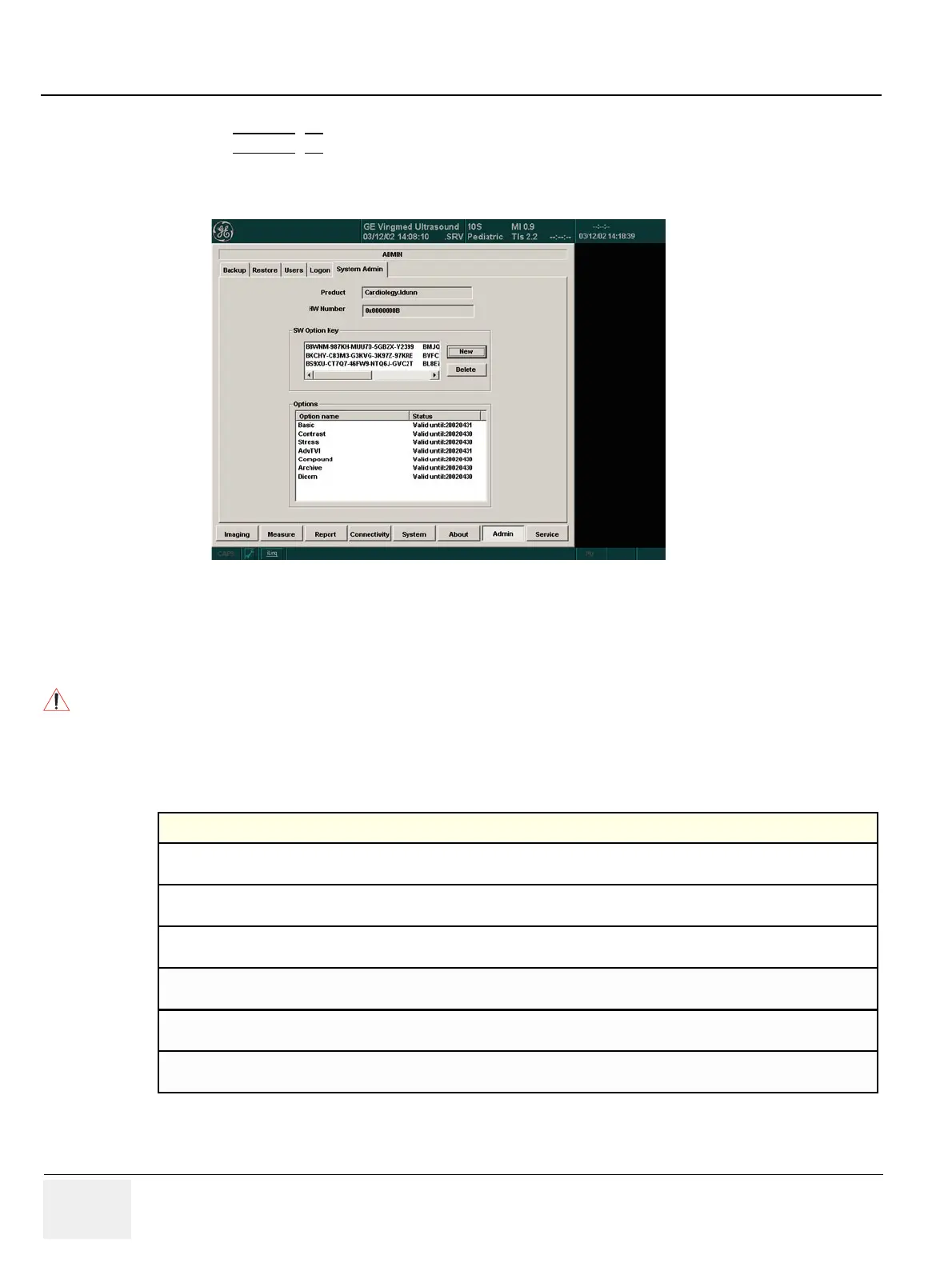
2.) From the Admin tab, select SYSTEM ADMIN.
3.) Record SW Options Keys from SW Options Key window.
Figure 8-56 System Admin
WARNINGWARNING
Make sure that the SW Option Keys (passwords) have been recorded correctly. If the
key is incorrect, you will not be able to log on after the SW installation has been
completed. The password is case sensitive. Hyphens must also be recorded. There may
be more than one password.
Table 8-15 SW Options Keys
SW OPTIONS KEYS


 To Next Page