4-6 CONTROL ITEMS
GGS-000548-01E iPASOLINK EX Advanced: Operation & Maintenance
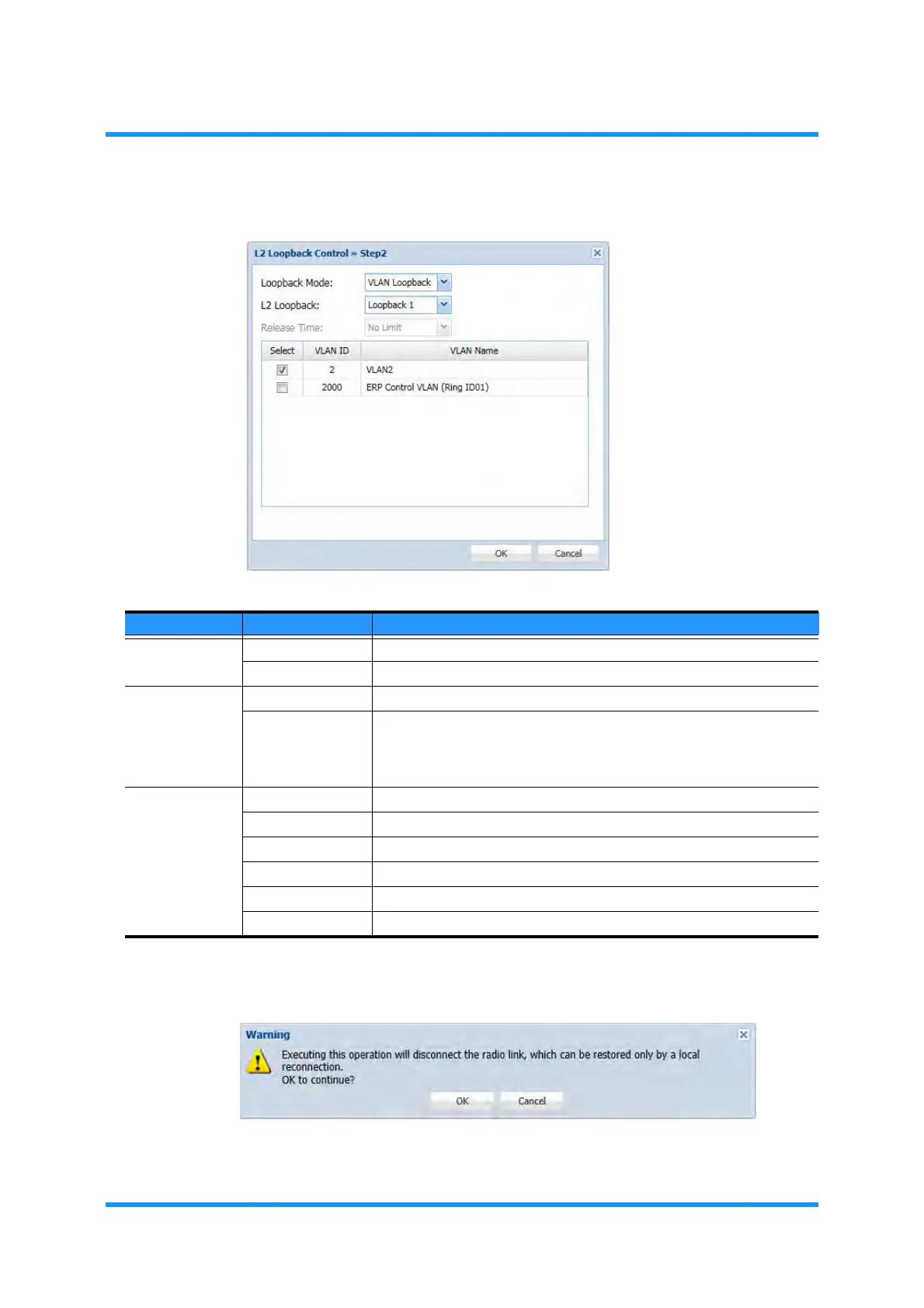
5. Specify the parameters, then click the OK button.
Figure 4-4 L2 Loopback Control >> Step 2 Option Window
6. Warning dialog box appears. Click the OK button to proceed.
Figure 4-5 Warning Dialog Box
7. Information dialog box appears. Click the OK button to proceed.
Table 4-1 L2 Loopback Control Parameters
Parameter Value Description
Loopback
Mode
Port Loopback Operates a port loopback.
VLAN Loopback Operates a VLAN loopback.
L2 Loopback Loopback1 Loops back at the near side of the L2 Switch.
Loopback2 Loops back at the far side of the L2 Switch. In this mode, the available
frame size to loop back is the maximum size that is specified by Max
Frame Size Setting (see 8.2.2 Max Frame Size Setting in the Set
Network and System Provisioning manual) minus 16 bytes.
Release Time * No Limit Keeps L2 Loopback operations.
90 [s] Sets 90 seconds to wait before restoring.
180 [s] Sets 180 seconds to wait before restoring.
300 [s] Sets 300 seconds (5 minutes) to wait before restoring.
60 [min] Sets 60 minutes to wait before restoring.
12 [h] Sets 12 hours to wait before restoring.



 To Next Page