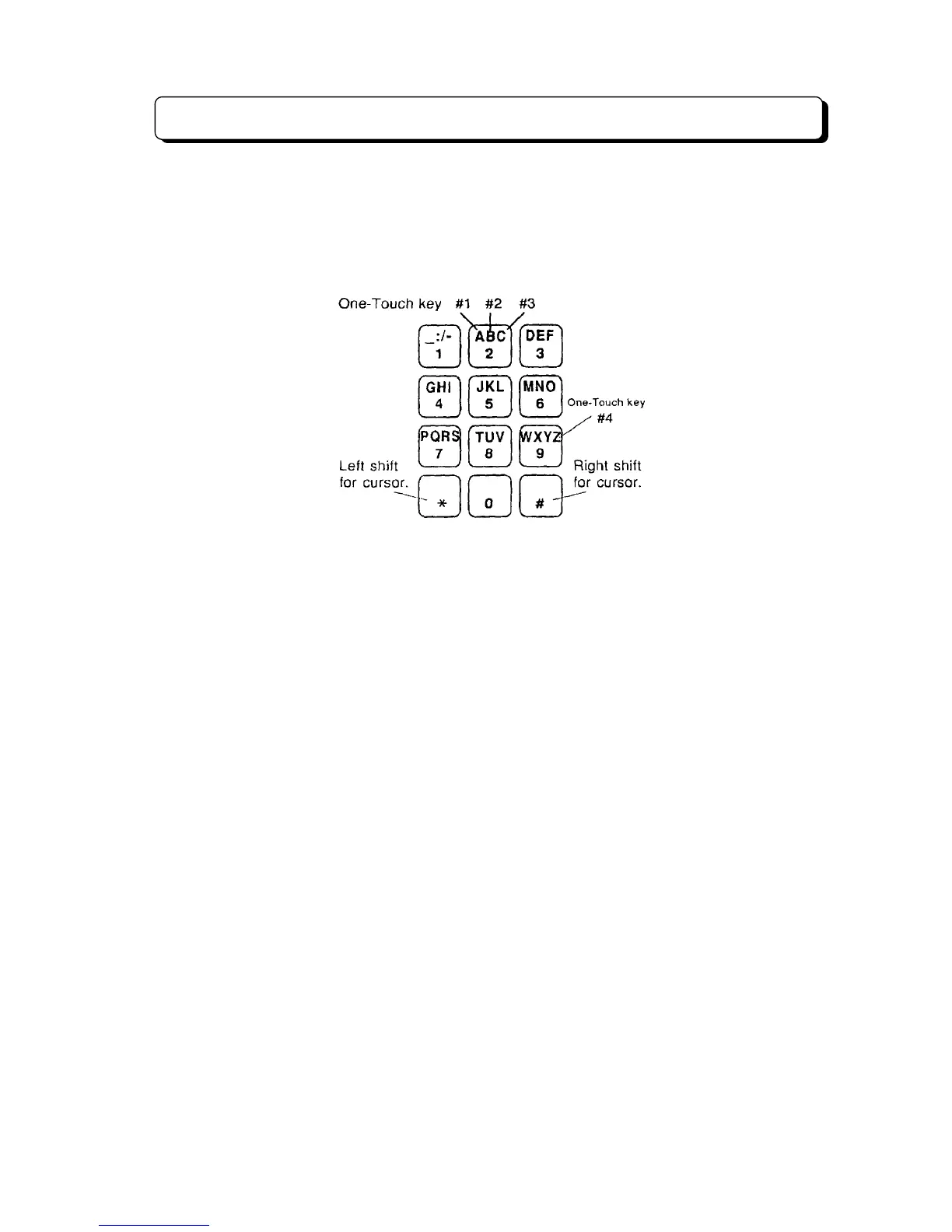
Alphanumeric Display TEL Features
¾ 4-58 ¾
<Pattern 2>
(Complied with ITU-T Rec.E.161.) (2nd Model KTS)
- Dial key (0-9): Numbers
- One-touch key (1-4) with Dial key (1-9): Letters and symbols
- One-touch key 5: Space
- One-touch key 6: Delete a character
- One-touch key 7: Delete all characters
RELATED SYSTEM DATA:
#61-A: Alphanumric Key Pad Assignment
u
Selectable Display Messaging
DESCRIPTION:
An extension user can select a preprogrammed Selectable Display Message for their extension. Display
telephone callers see the selected message when they call the user's extension. Selectable Display
Messaging provides personalized messaging. For example, an extension user could select the message
"LEFT FOR THE DAY". Any display telephone user calling the extension would see the message. Other
than displaying the message, the system puts the call through normally. See twenty-three Default Setting
Messages (00-19, 47-49) below for a list of the standard message. The system has fifty Selectable
Display Messages (00-49) and two Personal Display Messages (One-touch key No.1 and No.2) for each
extension.
An extension user can add digits for date, time or phone number after messages 00, 01, 02, 12 and 13.
For example, an extension user could select the message 13 "OUT UNTIL _ /_ " and then enter the date
on "_ /_ ". Callers see the original message followed by the appended date. They would then be able to
tell when the user was coming back to the office.
The default messages are:



 To Next Page