¾ 7-1-7 ¾
Installing the Caller-ID Adaptor (TX-Z 824/1232/2464)
4. Connecting to the TX-Z System
(1) To connect NX7E-408()/208()-A1 unit and
NX7E-()SMCID-A1 PBA as the illustration.
Note 1:
When you use previous TX-Z
system, the Special EPROM (4.0 or
upwards on NX7E-408M-A1 PBA) or
Special Unit (NX7E-24CPU-B1 PBA)
are required for Caller-ID feature.
Note 2:
TX-Z system requires a NX7E-
()SMCID-A1 PBA instead of NX7E-
()SMDR-A1 PBA. Otherwise Caller-
ID feature is not provided.
Note 3:
TX-Z 1232/2464 system requires a
NX7E-24CPU-B1 PBA instead of
NX7E-24CPU-A1 PBA. Otherwise
Caller-ID feature is not provided.
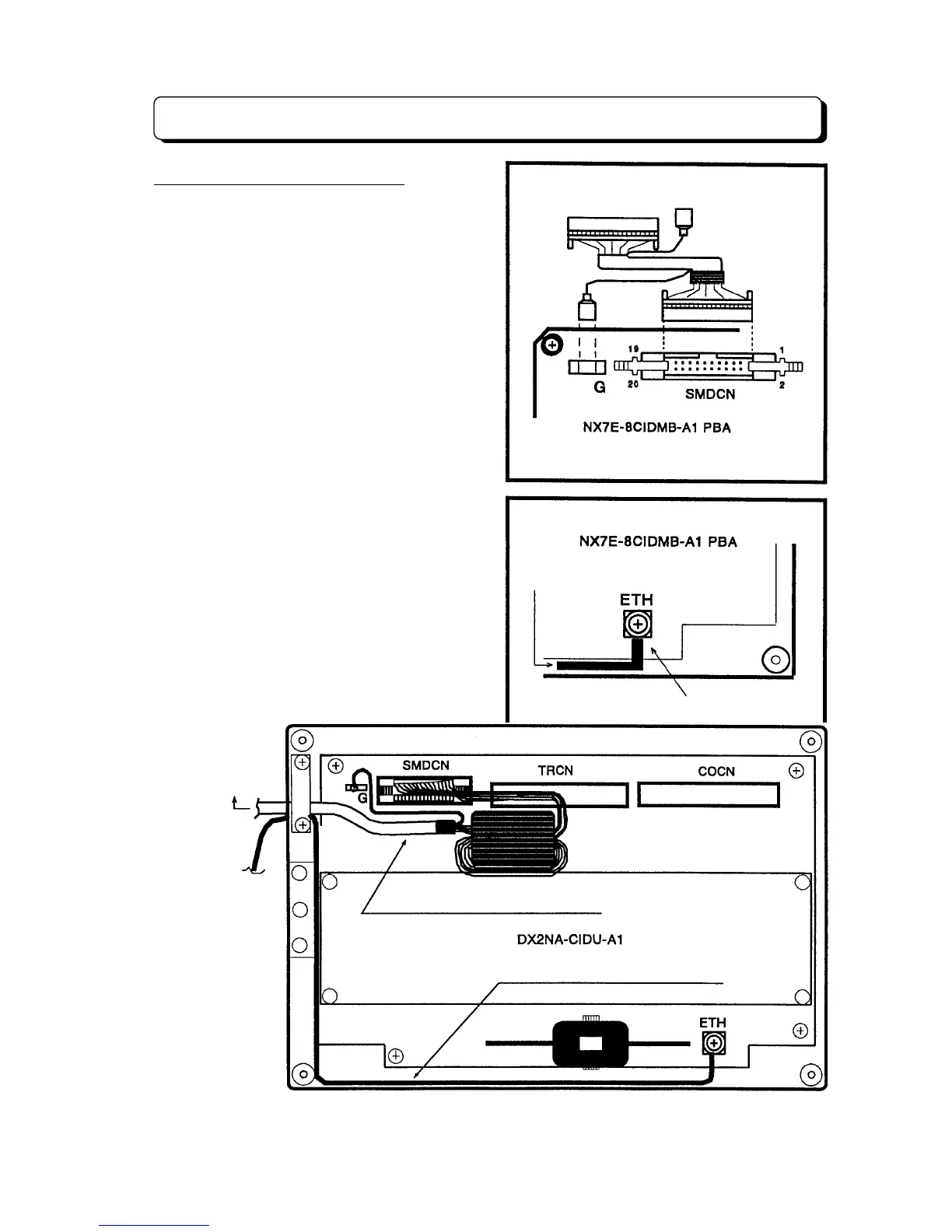
(2) Grounding requirement
The Caller-ID adaptor must be properly
grounded. Surely connect the FG terminal of
Main Equipment to each ground properly to
protect the unit.
(3) Wiring diagram for accessory cables &
Grounding Cables
The wiring of Accessory cables must be as
illustration.
To CBCN on the NX7E-( )SMCID-A1 PBA
To FG terminal of
Main Equipment
Grounding Cable (accessory part)
To CBCN on the
NX7E-() SMCID-A1
To FG terminal of
Main Equipment
Caller-ID Cable (Accessory parts)
Grounding Cable (Accessory Parts)



 To Next Page