¾
3-1-4
¾
Trunk Line Connection
Wire Specification
The wire specifications are as follows:
Wire
Solid wire
Diameter of conductor
f 0.5 mm or 24AWG
Connection
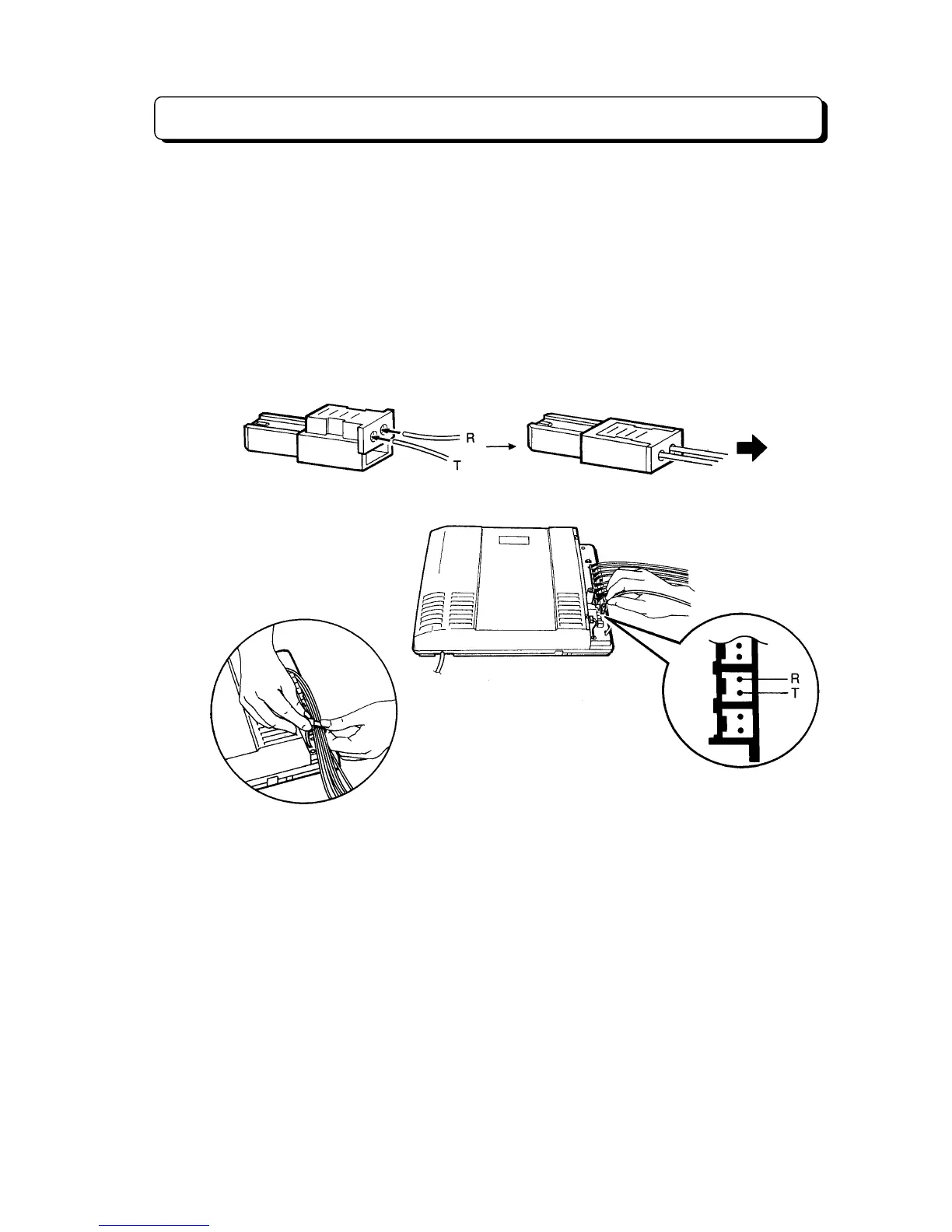
Use a 2-pin plug (included) to connect Trunk (CO/PBX) lines.
There are 3 plugs to connect Trunk lines to CO1 through CO3 Jacks.
1. Lift the transparent part.
2. Insert required telephone wires into the holes in a plug.
Then press the transparent part into the blue part.
Note:
Do not strip the wires.
Insert the wires all the way into the plug.
Power Failure
When the AC power fails, CO1 directly switches to the Single Line
Telephone connected to TEL8 jack.
Note:
You can use the cable holders to fix the wires.
To CO/PBX Line



 To Next Page