¾
3-1-5
¾
Installation of 3SMDR and Printer/PC
IMPORTANT NOTICE
: The TX-Z 308 Main Equipment can accommodate only
up to 2 optional cards
due to the height.
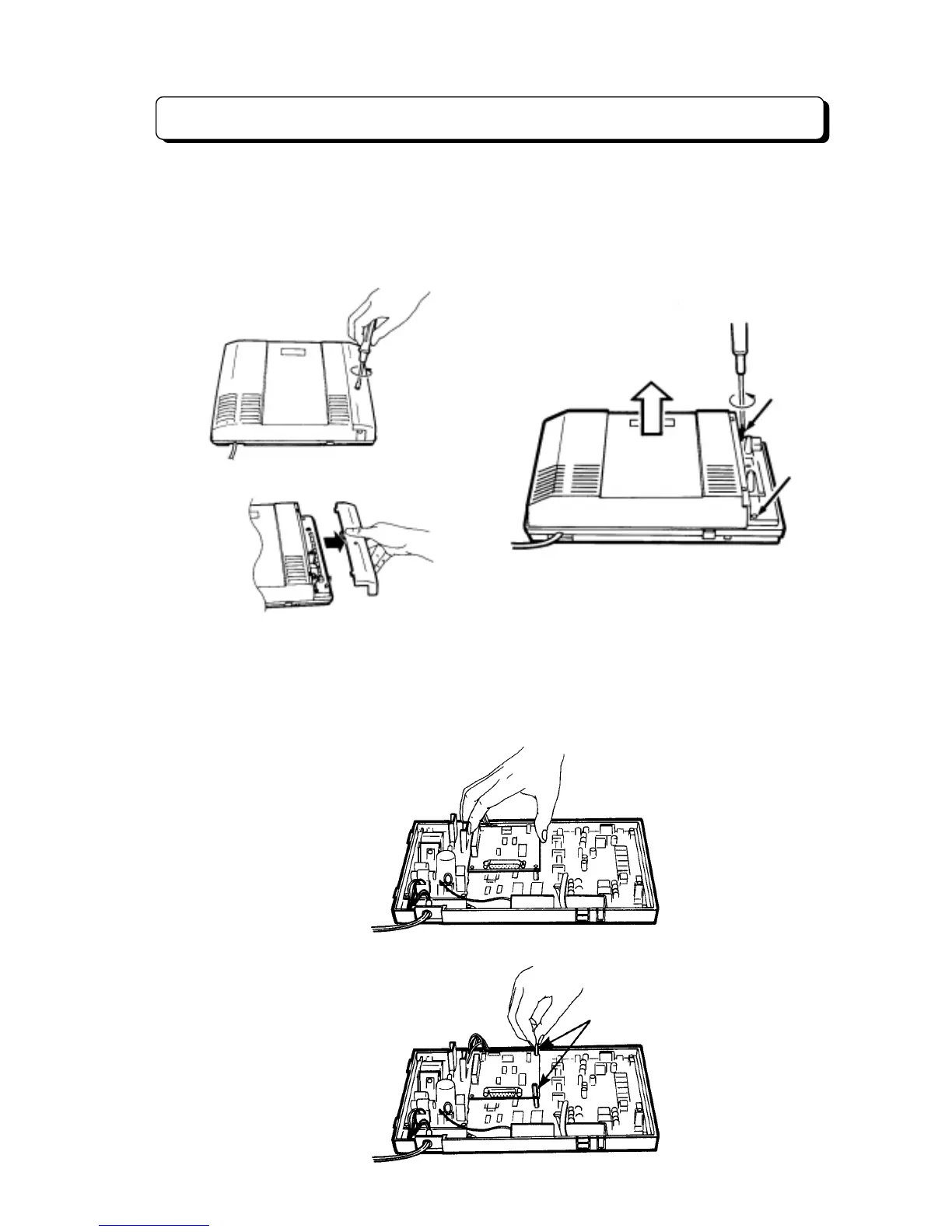
1. Disconnect the AC cord from an AC outlet.
2. Loosen the screw and remove the front cover.
3. Loosen the two screws and remove the upper housing.
Installation of 3SMDR Unit
For use of the Station Message Detail Recording (SMDR) feature, NX7E-3SMDR-A1 unit must be
installed in the main equipment.
To install this unit in the main equipment:
1. Attach the 3SMDR unit to the connector labeled EXPCN on the main unit.
2. Secure the 3SMDR unit with metal spacer (included).
Metal spacer



 To Next Page