¾ 7-1-9 ¾
Installing the SMCID PBA (TX-Z 824/1232/2464)
(2) TX-Z 1232/3464 System
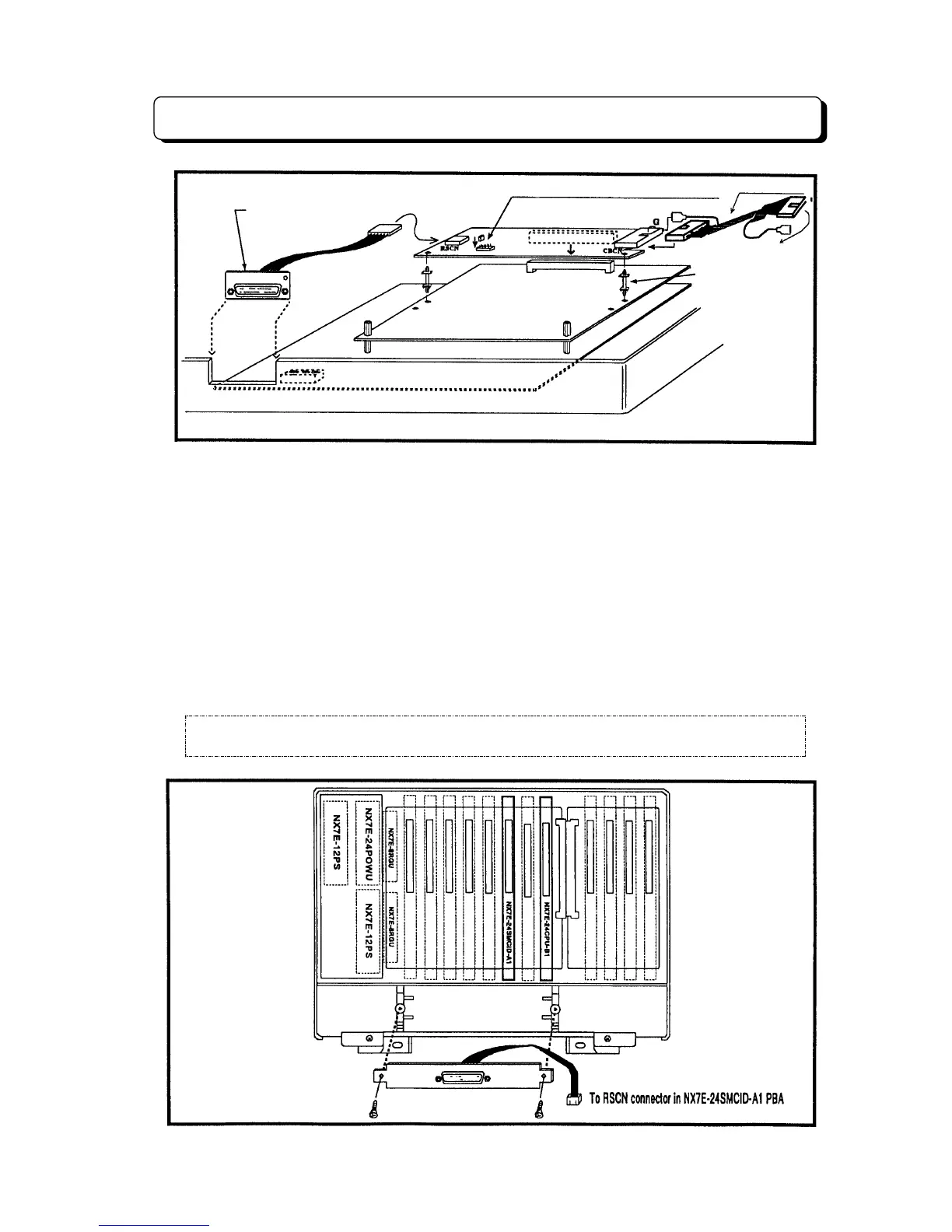
The NX7E-24CPU-B1 PBA & NX7E-24SMCID-A1 PBA provide the SMDR feature & Caller-ID
feature. Connector locations & Cable connections are as below;
Step 1:
Main Equipment must be power off before inserting the NX7E-24CPU-B1 PBA and NX7E-
24SMCID-A1 PBA. And Screw RS-232C cable assembly at the bottom side of Main
Equipment.
Step 2:
Change CPU Board to NX7E-24CPU-B1 PBA from NX7E-24CPU-A1 PBA.
Step 3:
Insert the NX7E-24SMCID-A1 PBA into the mother board slot labeled SMDR.
Step 4:
Connect the Caller-ID cables to the CBCN1-3 connectors and G1-G3 terminals, then insert
the RS-232C Jack into the RSCN connector on the NX7E-24SMCID-A1 PBA.
Note 1:
Set SW1 at the proper Bit Rate Position.
Note 2:
Short bar on "RUN" side (Not on "TEST" side).
IMPORTANT!!: After all the connections are completed, turn the Power Switch ON.
To SMDCN Connector In
the Caller-ID Adaptor
NX7E-408M-A1
Set SW1 to the proper Bit Rate position.
Caller-ID cable
NX7E-8SMCID-A1
NX7E-208E-A1/NX7E-008E-A1
Nylon Spacer
SMDR Jack and
Cable Assembly
EXPCN



 To Next Page