CS193/CS173/CS163 3-33
Basic copy operations
3
– For details on specifying the Zoom setting, refer to "Specifying a Zoom setting" on page 3-40. For
details on specifying the "Frame Erase" setting, refer to "Erasing specified areas of copies ("Frame
Erase" function)" on page 8-75.
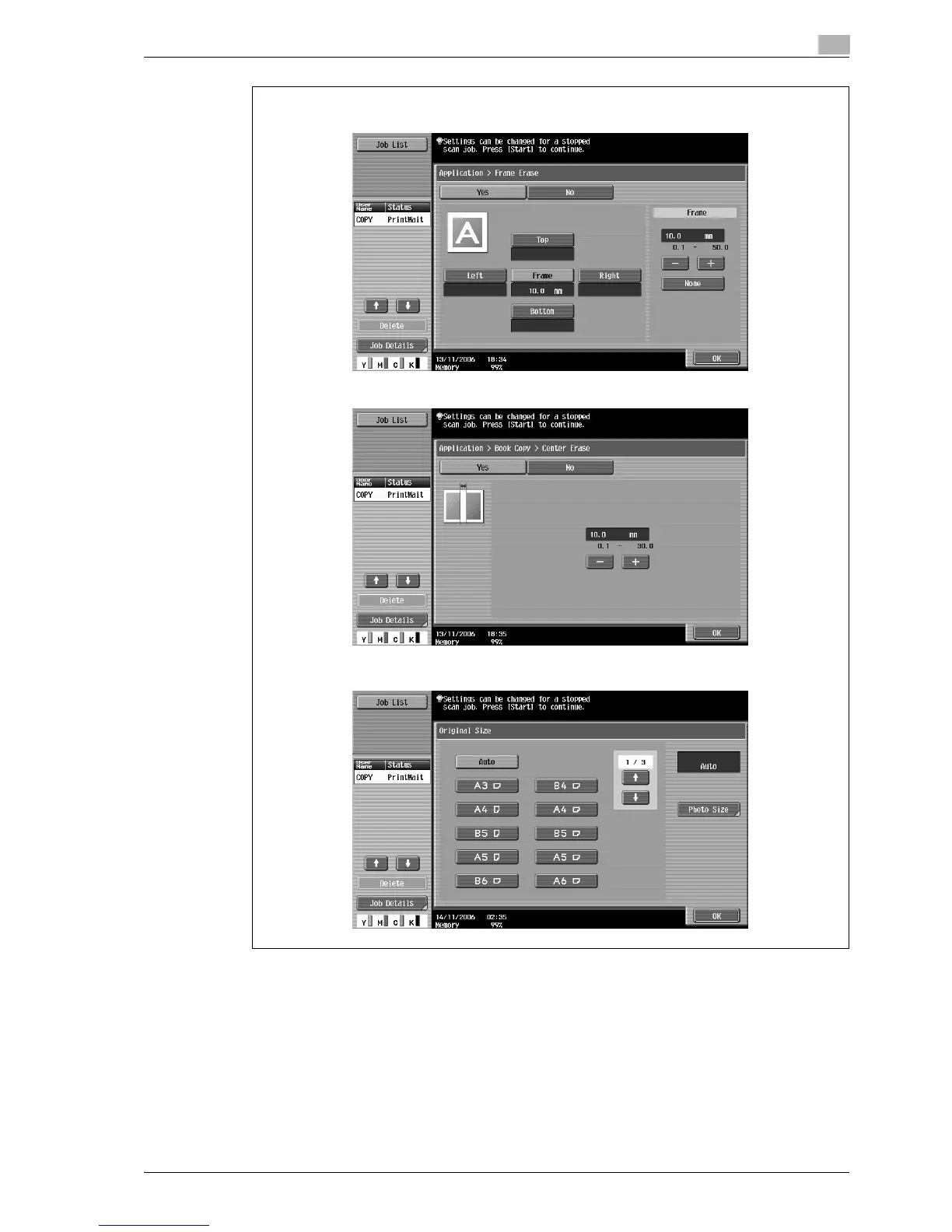
– The Center Erase screen appears only when the "Book Copy" function is selected.
– The Original Size screen appears only when the "Mixed Original" setting is selected.
6 Touch [OK].
Frame Erase screen
Center Erase screen
Original Size screen



 To Next Page