CS193/CS173/CS163 3-19
Basic copy operations
3
3.4 Specifying original settings
The following describes necessary settings depending on the status and placement of the originals to copy
them as desired.
3.4.1 Specifying the original size (Original Size settings)
Copies can be produced after specifying the original scanning size if the original size cannot be detected
automatically or if you wish to specify a certain original size.
1 Position the original to be copied.
– For details on positioning the original, refer to "Feeding the original" on page 3-8.
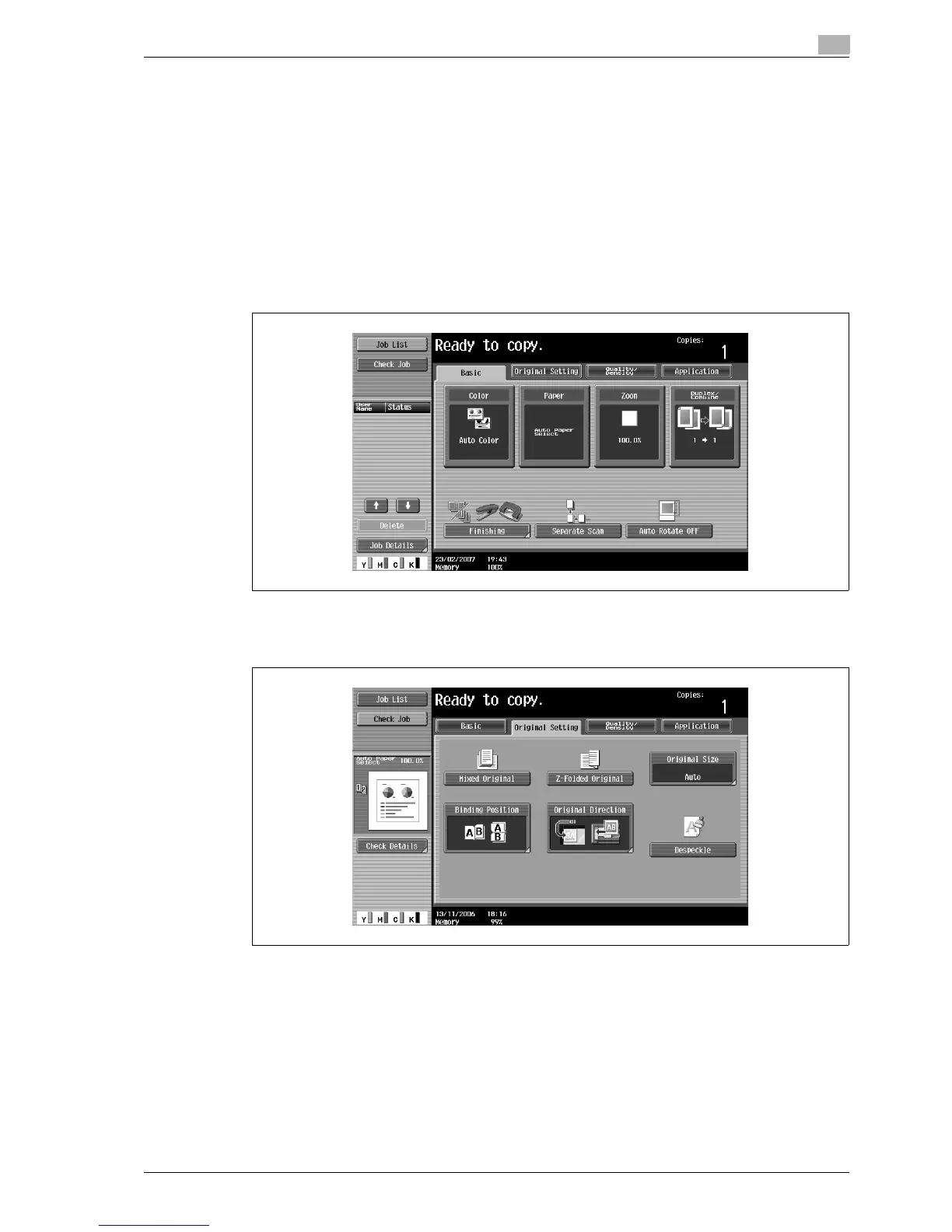
2 In the Basic screen, touch [Original Setting].
The Original Setting screen appears.
3 Touch [Original Size].
The Original Size screen appears.



 To Next Page