3
Basic copy operations
3-20 CS193/CS173/CS163
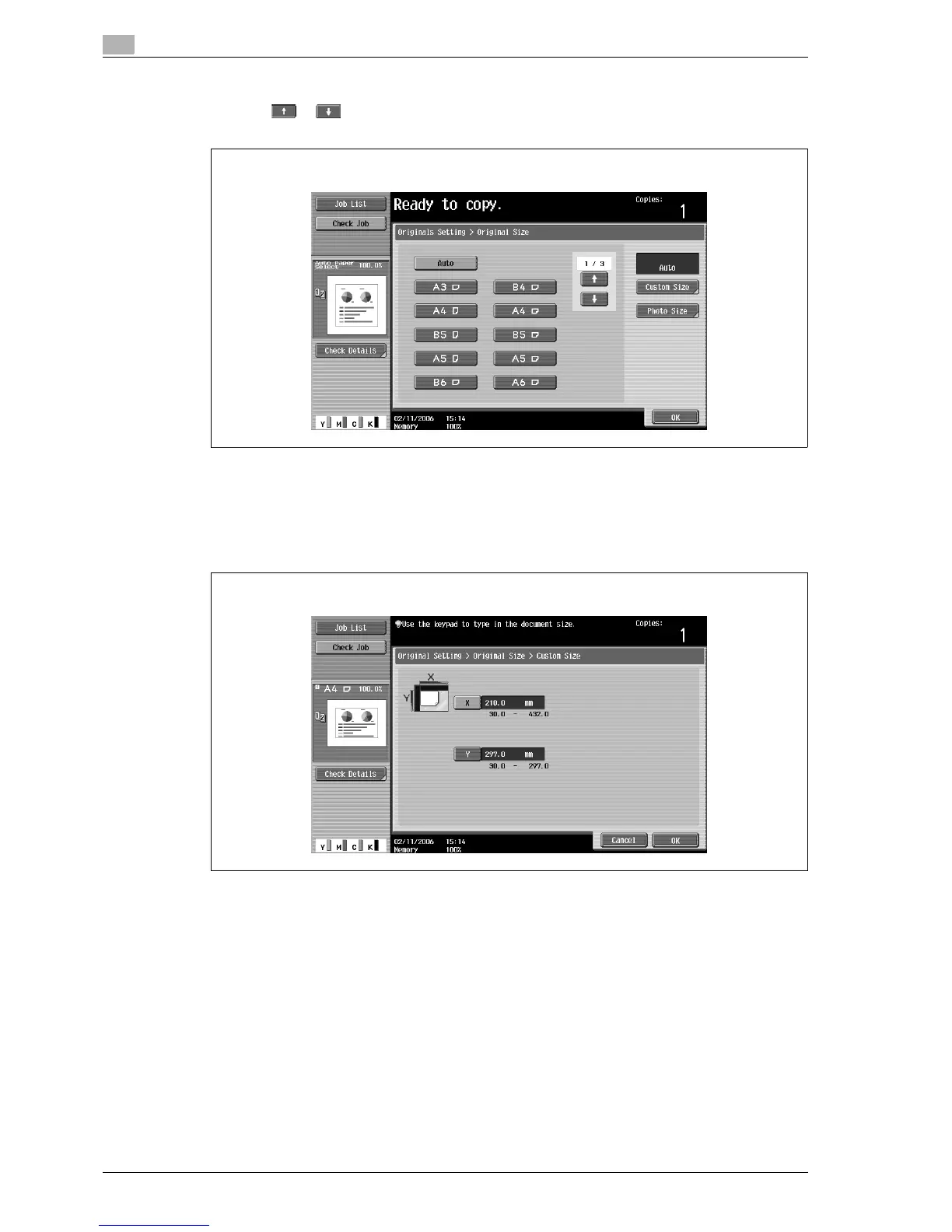
4 Select the original size, and then touch [OK].
– Touch or to display a different list of standard sizes.
– To specify a standard size, touch the button for the desired original size.
– To specify a custom size, touch [Custom Size] to display the Custom Size screen. Touch [X] or [Y]
to select the dimension, use the keypad to specify the desired value, and then touch [OK].
– If a value outside the allowable range is specified in the Custom Size screen, the message "Input
Error" appears. If "Input Error" appeared or if the value was incorrectly entered, press the [C] (clear)
key, and then specify the correct value.
– To cancel changes to the settings, touch [Cancel].
Original Size Screen
Custom Size screen



 To Next Page