3
Basic copy operations
3-70 CS193/CS173/CS163
3.12.2 Separating copies by pages ("Group" Setting)
0 As the factory default, "Group" is selected.
0 If offset sorting is selected while no finisher or separator is installed, printed copies will be fed out and
sorted in an alternating w and v pattern if the following conditions are met.
A4- or B5-size paper is used.
Paper of the same size and type is loaded with the w orientation in one paper tray and with the v
orientation in another tray.
The "Auto" Paper setting is selected.
The "Auto" Paper setting is not selected when the "Mixed Original" setting is selected.
0 If offset sorting is selected while a finisher or a separator is installed, printed copies are fed out and
stacked on top of each other with each set shifted to separate it.
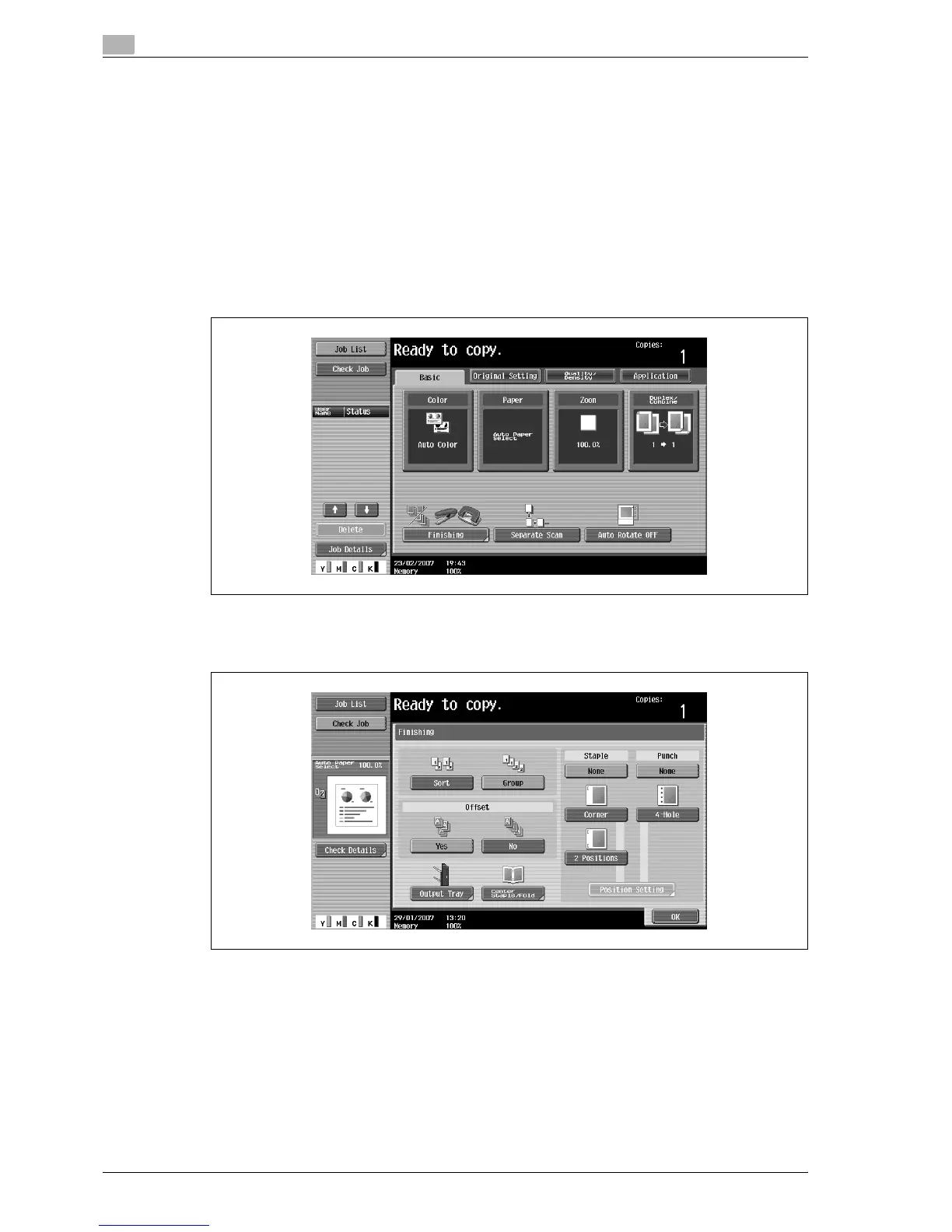
1 In the Basic screen, touch [Finishing].
The Finishing screen appears.
2 Touch [Group].
– To separate each set of pages, touch [Yes] under "Offset".
3 Touch [OK].
The Basic screen appears again.



 To Next Page