CS193/CS173/CS163 8-73
Application functions
8
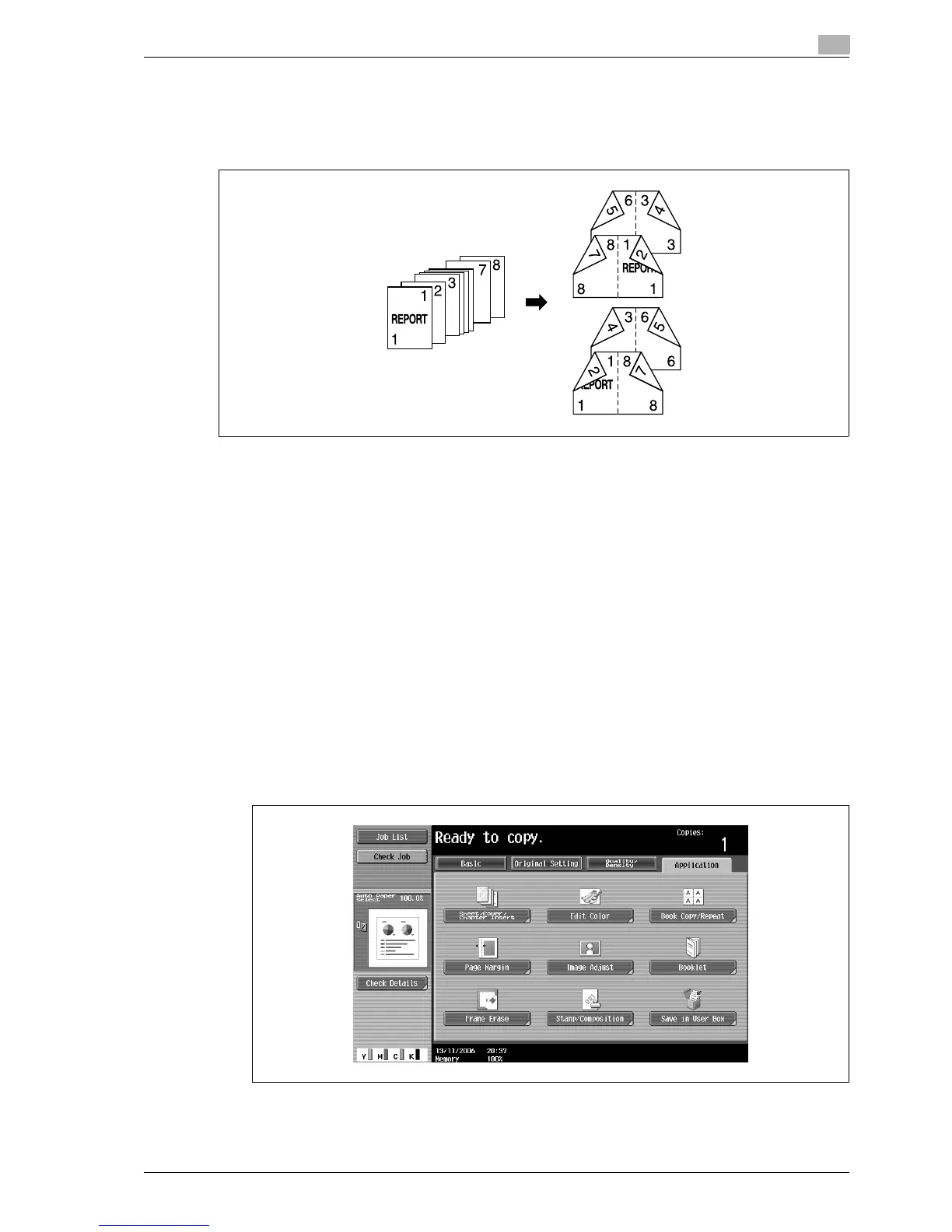
8.18 Copying with the page layout of a booklet ("Booklet" function)
The page order of the scanned original is automatically arranged to produce double-sided copies in a page
layout for center binding, such as for a magazine. Stapling is possible only when optional saddle stitcher on
the finisher is installed.
!
Detail
Generally, a multiple of 4 original pages is required with a single-sided original, and a multiple of 2
original pages is required with a double-sided original. If there are not enough pages, blank pages are
automatically added at the end.
For details on stapling, refer to "Binding copies at the center ("Center Staple & Fold" setting)" on
page 3-79.
For an original that exceeds 100 pages, refer to "Scanning the original in separate batches ("Separate
Scan" setting)" on page 3-11.
The width of the binding margin is automatically specified.
1 Position the original to be copied.
– For details on positioning the original, refer to "Feeding the original" on page 3-8.
2 Touch [Application], and then touch [Booklet].
– To cancel changes to the settings for all Application functions, press the [Reset] key. All changes to
the settings are canceled.
"Left Bind" setting
"Right Bind" setting



 To Next Page