CS193/CS173/CS163 3-47
Basic copy operations
3
3.7.7 Selecting a stored zoom ratio
Copy zoom ratios that have been stored can be recalled to be used when desired.
In addition, stored copy zoom ratios can be changed.
0 As the factory default, "Full Size" is selected.
0 Touch [+] to enlarge the zoom ratio, and touch [-] to reduce the zoom ratio in 0.1% increments.
0 Stored zoom ratios can be changed to desired zoom ratios. For details on storing zoom ratios, refer to
"Storing the desired zoom ratio" on page 3-48.
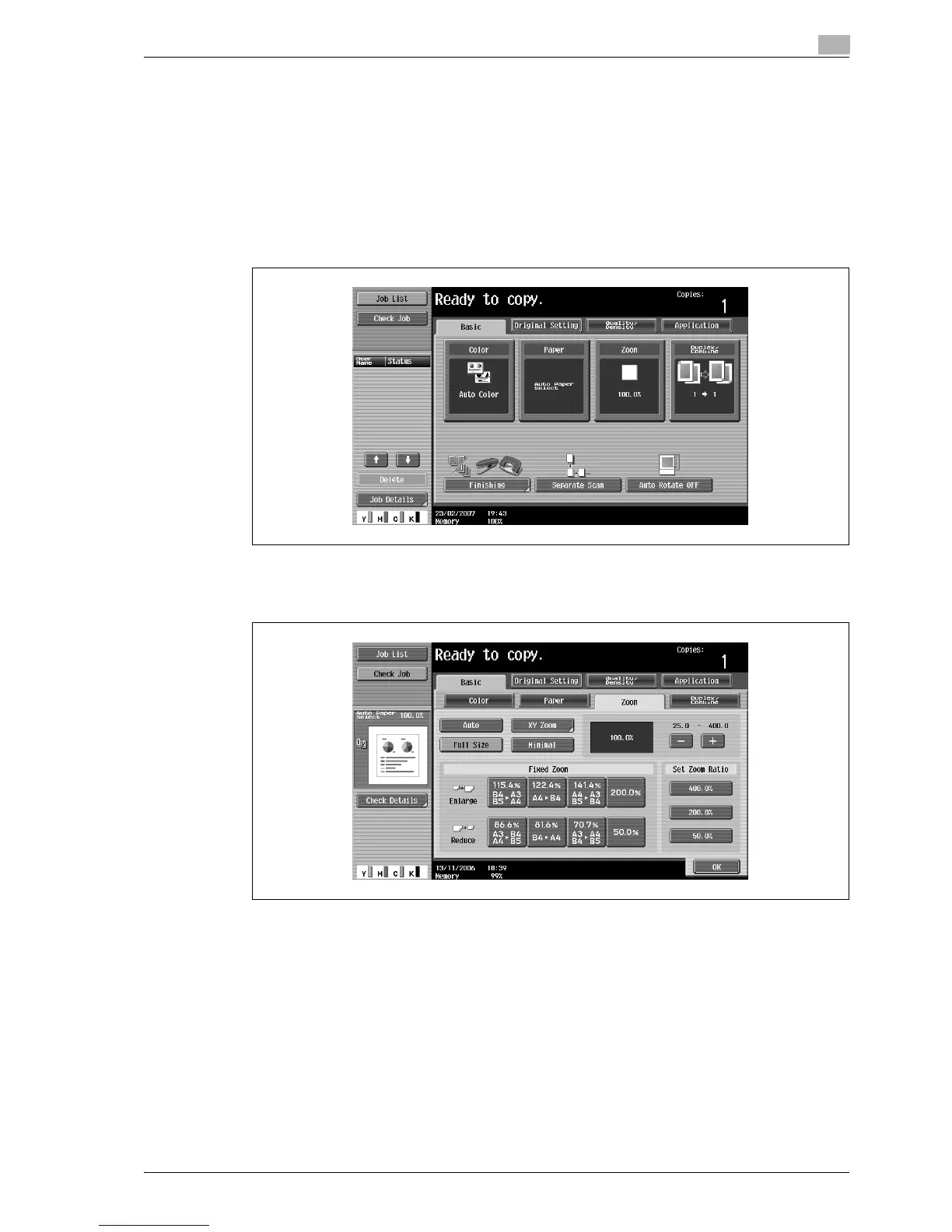
1 In the Basic screen, touch [Zoom].
The Zoom screen appears.
2 Touch the button for the desired zoom ratio under "Set Zoom Ratio".
3 Touch [OK].
The Basic screen appears again.



 To Next Page