3
Basic copy operations
3-56 CS193/CS173/CS163
3.9.1 Copying multiple original pages onto a single page (combined copy settings)
If a combined copy setting is selected, specify the position of the binding margin and the loading orientation
for the original, otherwise the copies may not be printed in the desired arrangement.
For details on specifying the position of the binding margin, refer to "Selecting the position of the binding
margin (Binding Position settings)" on page 3-27.
For details on specifying the original orientation, refer to "Selecting the original orientation (Original Direction
settings)" on page 3-24.
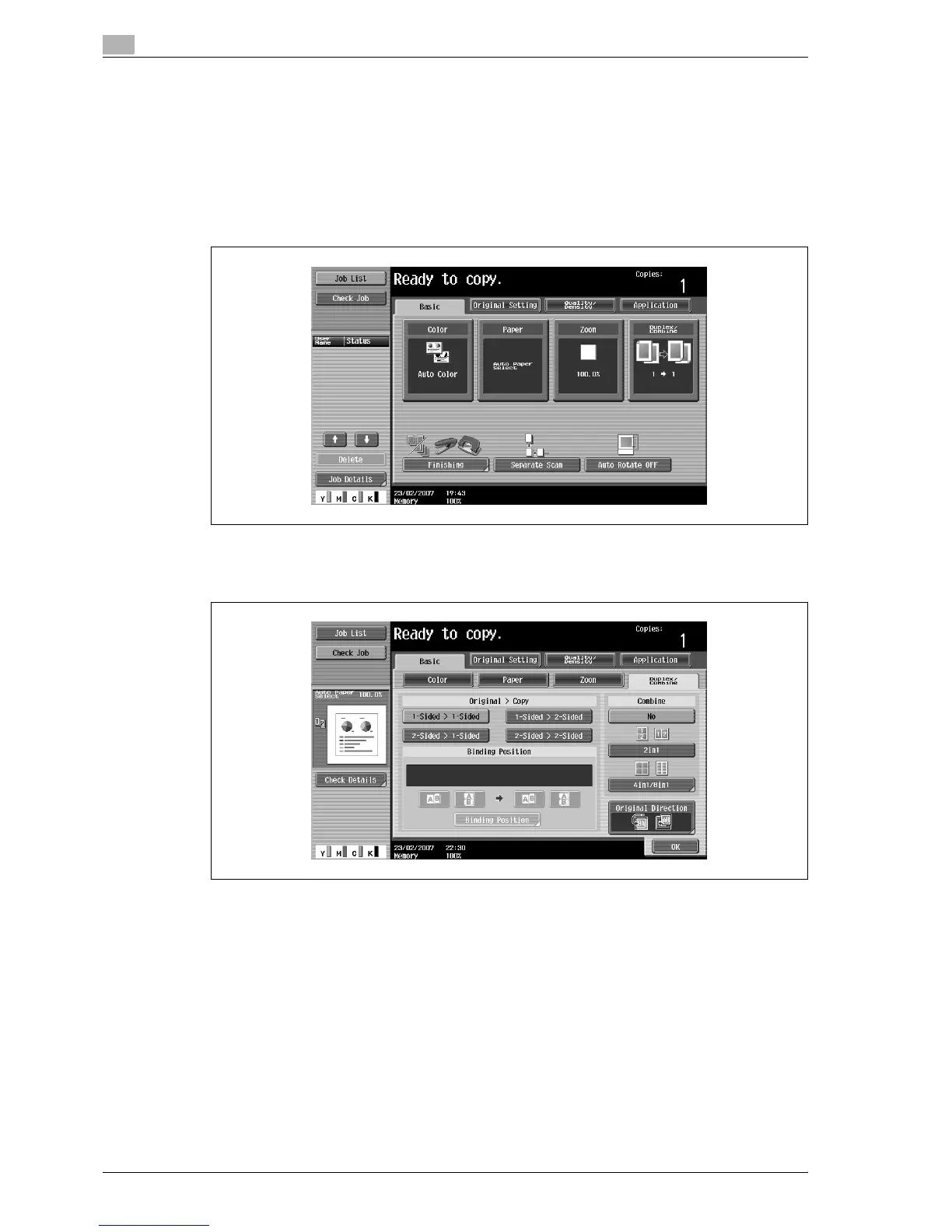
1 In the Basic screen, touch [Duplex/Combine].
The Duplex/Combine screen appears.
2 Select the desired combined copy setting.



 To Next Page