CS193/CS173/CS163 2-5
Before making copies
2
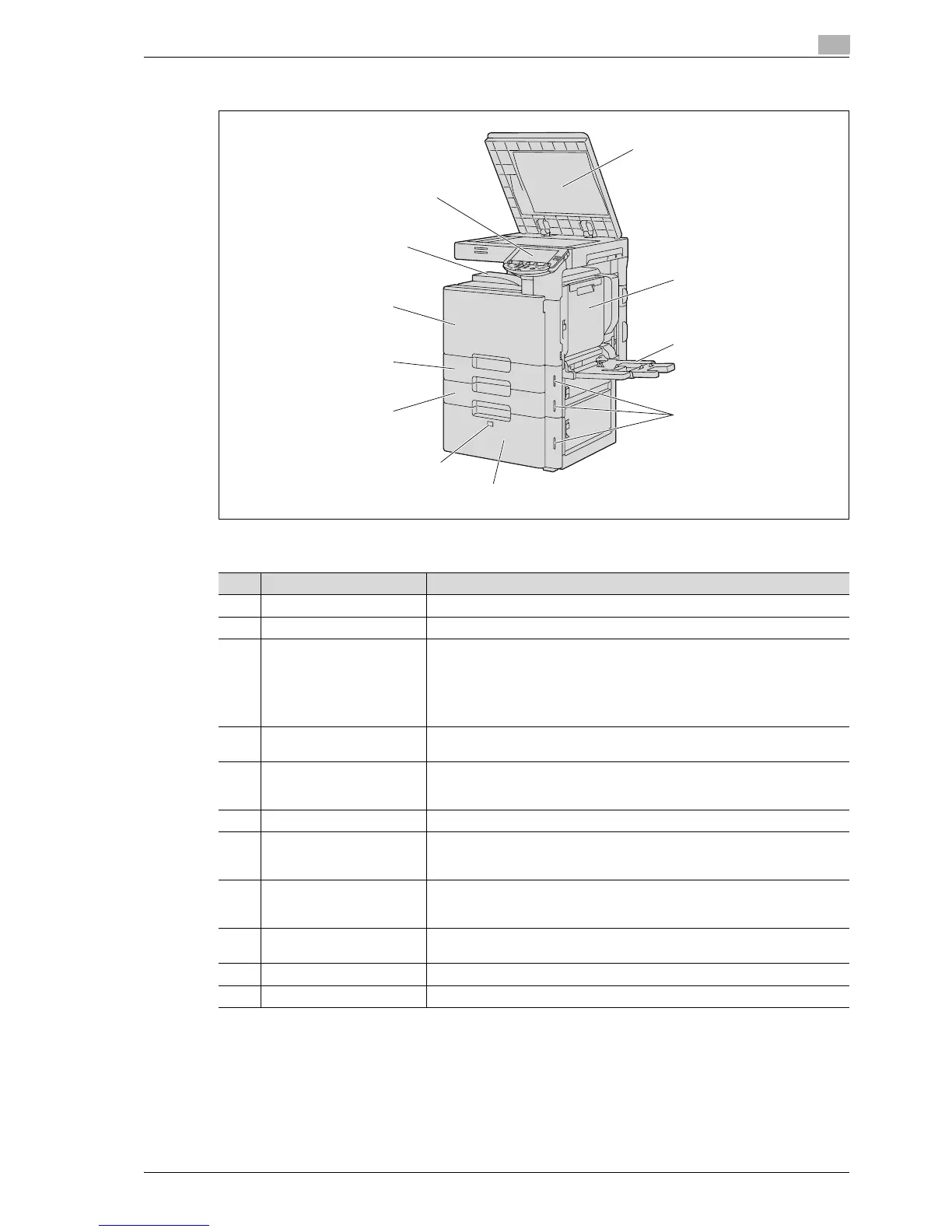
2.1.2 Outside of machine
The illustration above shows the main unit with the optional original cover and LCT installed.
1
2
3
4
5
6
7
8
9
10
11
No. Part name Description
1 Original pad Holds down the placed originals to keep it in place.
2 Automatic duplex unit Turns over the paper for double-sided printing.
3 Bypass tray Used when printing onto paper with a size not loaded into a paper tray or onto
thick paper, OHP transparencies, postcards, envelopes, label sheets or ban-
ner paper.
Can be loaded with up to 150 sheets of plain paper, 20 sheets of thick paper
1, thick paper 2, thick paper 3, thick paper 4, OHP transparencies, postcards,
or label sheets, 10 envelopes, or 10 sheets of banner paper.
4 Paper-empty indicator Flashes in orange when very few pages remain in the paper tray, and lights up
when the tray is empty.
5 LCT Can be loaded with up to 2,500 sheets of plain paper.
Can be loaded with up to 1,000 sheets of thick paper 1, thick paper 2 or thick
paper 3.
6 Tray release button Press this button to pull out the LCT.
7 Tray 2 Can be loaded with up to 500 sheets of plain paper.
Can be loaded with up to 150 sheets of thick paper 1, thick paper 2 or thick
paper 3.
8 Tray 1 Can be loaded with up to 500 sheets of plain paper.
Can be loaded with up to 150 sheets of thick paper 1, thick paper 2 or thick
paper 3.
9 Front door Opened when replacing the toner cartridge, waste toner box, or imaging unit,
or when cleaning the print head.
10 Output tray Collects printed pages.
11 Control panel Used to specify the various machine settings.



 To Next Page