2
Before making copies
2-6 CS193/CS173/CS163
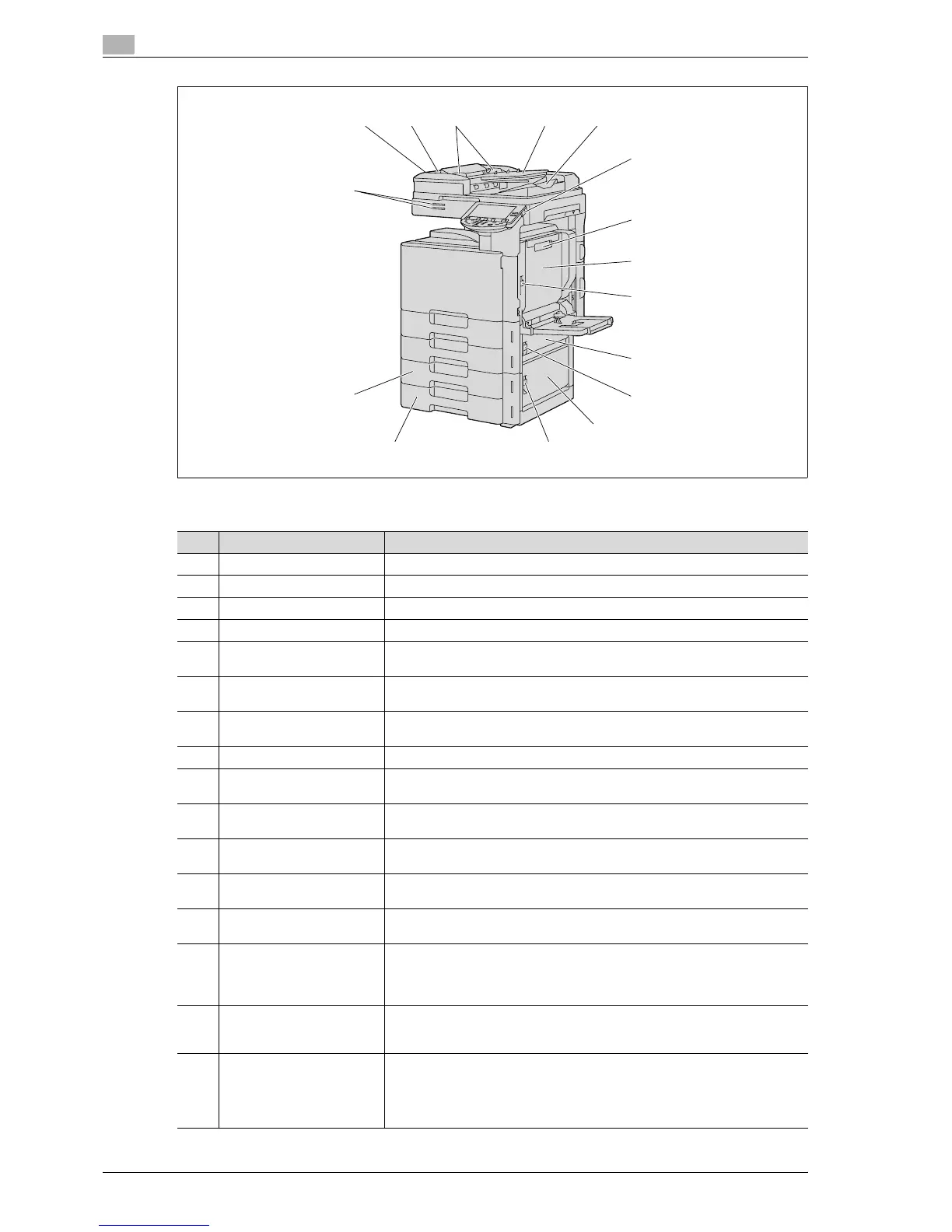
The illustration above shows the main unit with the optional ADF and double paper feed cabinet installed.
12 13 14 15 16
17
18
19
20
21
22
23
2425
26
27
No. Part name Description
12 Left-side cover release lever Used to open the left-side cover.
13 Left-side cover Opened when clearing paper misfeeds.
14 Lateral guide Adjusted to the width of the original.
15 Original feed tray Loaded with originals facing up.
16 Original output tray Collects originals that have been scanned. Open the output tray when clearing
a misfeed in the ADF.
17 [Power] (auxiliary power) key Pressed to turn on/off machine operations.
When turned off, the machine enters a state where it conserves energy.
18 Automatic duplex unit re-
lease lever
Used to open the automatic duplex unit door when clearing paper misfeeds.
19 Automatic duplex unit door Opened when clearing paper misfeeds in the automatic duplex unit.
20 Upper right-side door re-
lease lever
Used to open the upper right-side door.
21 Center right-side door Opened when clearing paper misfeeds from the paper transport section of tray
2.
22 Center right-side door re-
lease lever
Used to open the centerright-side door.
23 Lower right-side door Opened when clearing paper misfeeds from the paper transport section of tray
2, 3 or 4.
24 Lower right-side door re-
lease lever
Used to open the Lower right-side door.
25 Tray 4/storage box Used as the storage box when the single paper feed cabinet is installed.
Can be loaded with up to 500 sheets of plain paper when the double paper
feed cabinet is installed. Can be loaded with up to 150 sheets of thick paper
1, thick paper 2 or thick paper 3.
26 Tray 3 Can be loaded with up to 500 sheets of plain paper.
Can be loaded with up to 150 sheets of thick paper 1, thick paper 2 or thick
paper 3.
27 Status indicator The machine’s current status is indicated by the color and lighting/flashing of
the indicator.
Flashing in blue: Printing normally
Flashing in orange: Warning
Lit in orange: Stopping operating



 To Next Page