5
Troubleshooting
5-52 CS193/CS173/CS163
5.3.2 Clearing jammed staples in the saddle stitcher
!
Detail
For details on clearing misfed paper in the finisher, refer to "Clearing a paper misfeed in finisher" on
page 5-42.
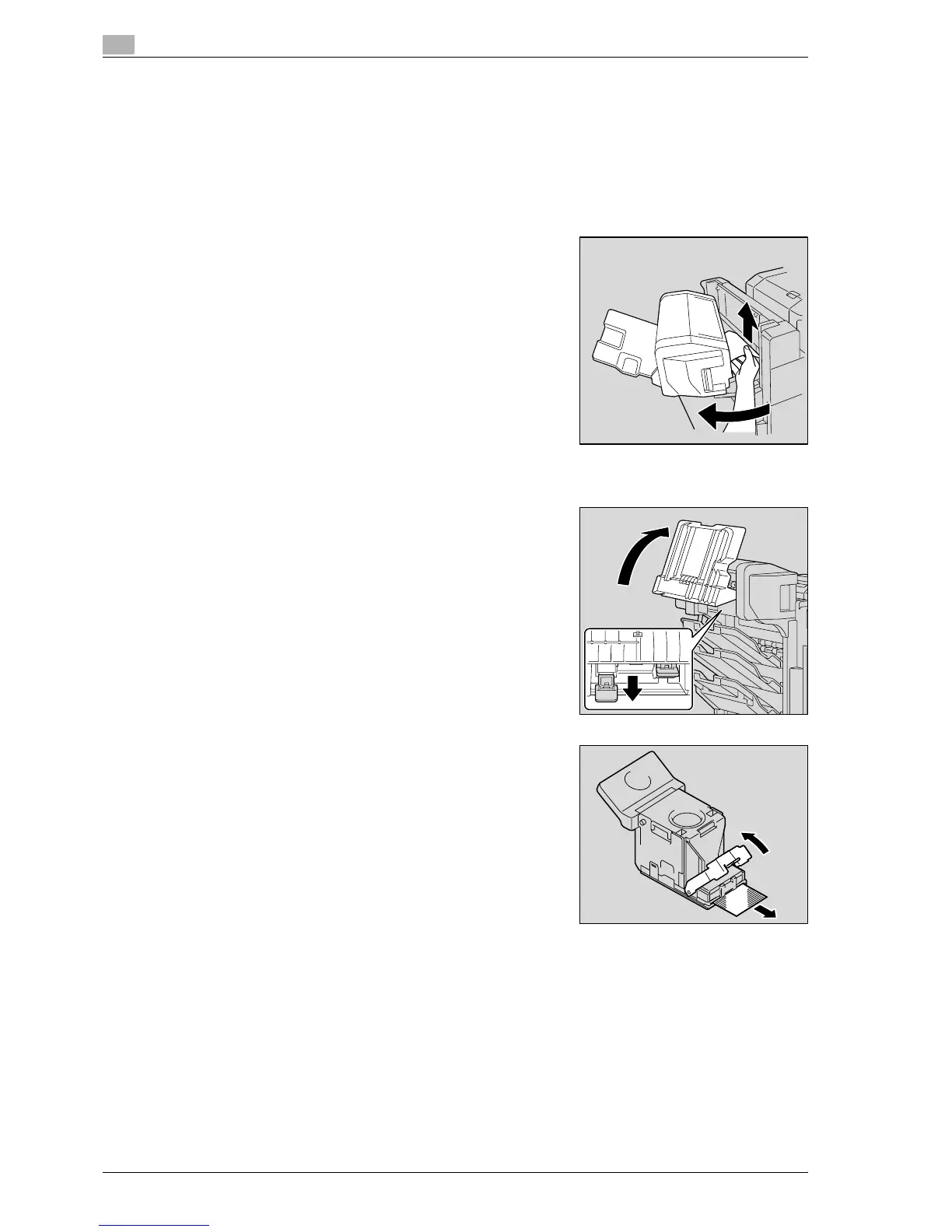
1 Remove all paper from the finisher.
2 Open the misfeed-clearing door, and then remove all paper.
3 Close the misfeed-clearing door.
4 Raise the output tray, and then push down the staple cartridge
holder to remove it.
5 Raise the shutter of the staple cartridge holder, and then pull
out one sheet of staples.
6 Return the shutter of the staple cartridge holder to its original position.



 To Next Page