CS193/CS173/CS163 2-9
Before making copies
2
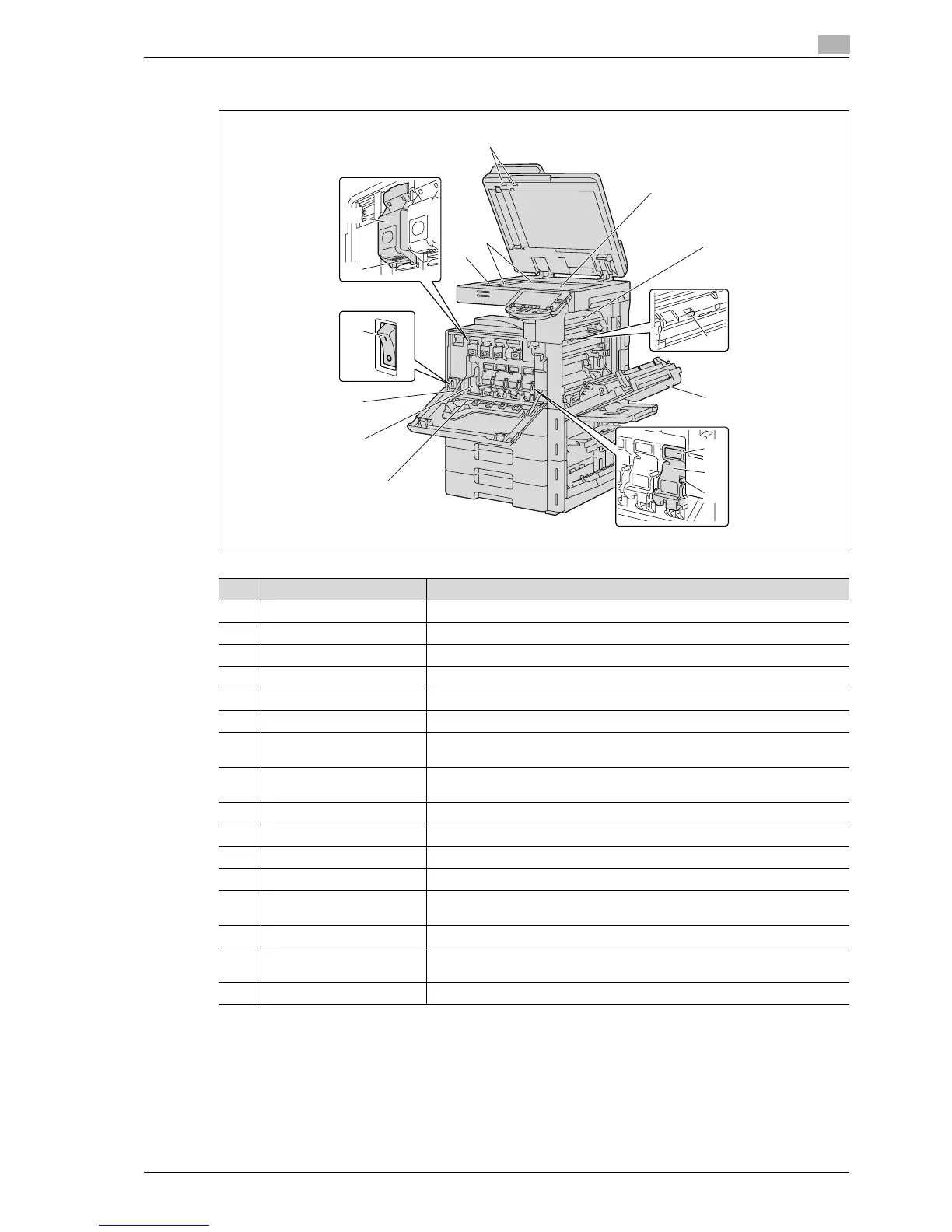
2.1.3 Inside of machine
1
2
3
4
5
6
7
8
9
11
10
12
13
14
15
16
No. Part name Description
1 Original glass The original placed on the glass is scanned.
2 Fusing unit Opened when cleaning paper misfeeds in the fusing unit.
3 Fusing unit cover lever M2 Opened when cleaning paper misfeeds in the fusing unit.
4 Upper right-side door Opened when clearing paper misfeeds from inside the main unit.
5 Unlock lever Used when removing an imaging unit.
6 Imaging unit Creates the print image.
7 Charger-cleaning tool Used to clean the electrostatic charger wire, for example, when incorrect cop-
ies are produced.
8 Print head glass cleaning
tool
Used to clean the surface of the print head glass, for example, when replacing
the imaging unit.
9 Waste toner box Collects used waste toner.
10 Main power switch Used to turn the machine on and off.
11 Total counter Shows the total number of pages that have been printed.
12 Lock tub Used when removing the toner cartridge.
13 Toner cartridges There are four toner cartridges: cyan (C), magenta (M), yellow (Y) and black (K).
The combination of the four toners generates full-color images.
14 Left partition glass Used to scan the original image in this area when the ADF is used.
15 Original scales Position the original so that it is aligned with the scales. Also, use the scales to
measure the loaded original.
16 Misfeed-clearing dial Turned when clearing paper misfeeds within the ADF.



 To Next Page