CS193/CS173/CS163 5-33
Troubleshooting
5
2
Reminder
If the paper is misfed as described below, contact your service representative.
The paper is wrapped around the timing roller.
The paper is folded or shredded by the timing roller.
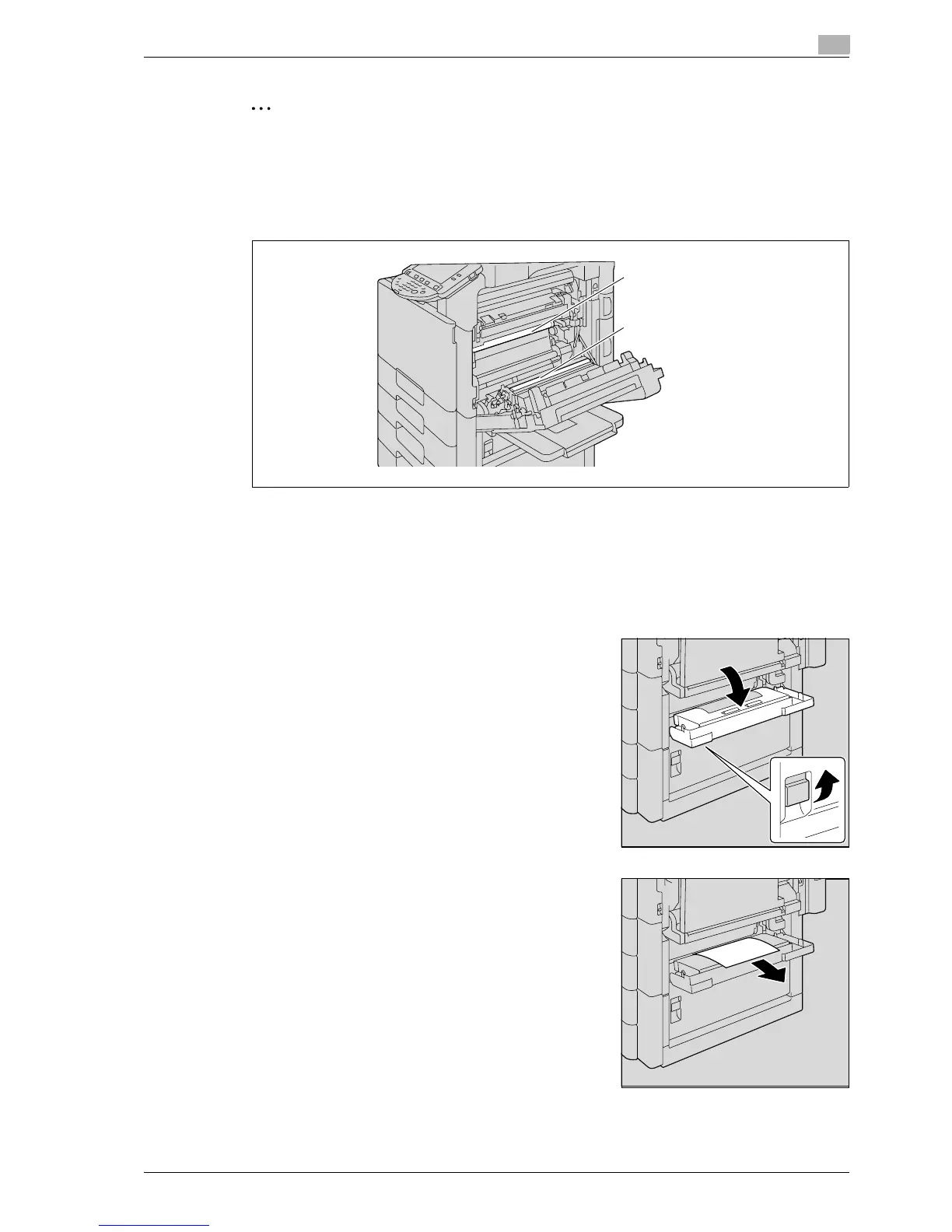
Decreased image quality may result if the surface of the image transfer belt or image transfer roller is
touched. Be careful not to touch the surface of the image transfer belt or the image transfer roller.
Be careful not to touch the film.
5.2.14 Clearing a paper misfeed in tray 2
!
Detail
For details on the positions of paper misfeeds, refer to "Paper misfeed indications" on page 5-6.
1 Pull up the center right-side door release lever, and then open
the center right-side door.
2 Carefully pull out any misfed paper.
Image transfer belt
Image transfer roller



 To Next Page