CS193/CS173/CS163 2-45
Before making copies
2
2.5 Loading paper into the LCT
0 If the [Power] (auxiliary power) key is turned off, even while the main power switch is on, the LCT cannot
be pulled out, even after the tray release button is pressed. Be sure that the machine is turned on with
the [Power] (auxiliary power) key.
0 LCT is an option.
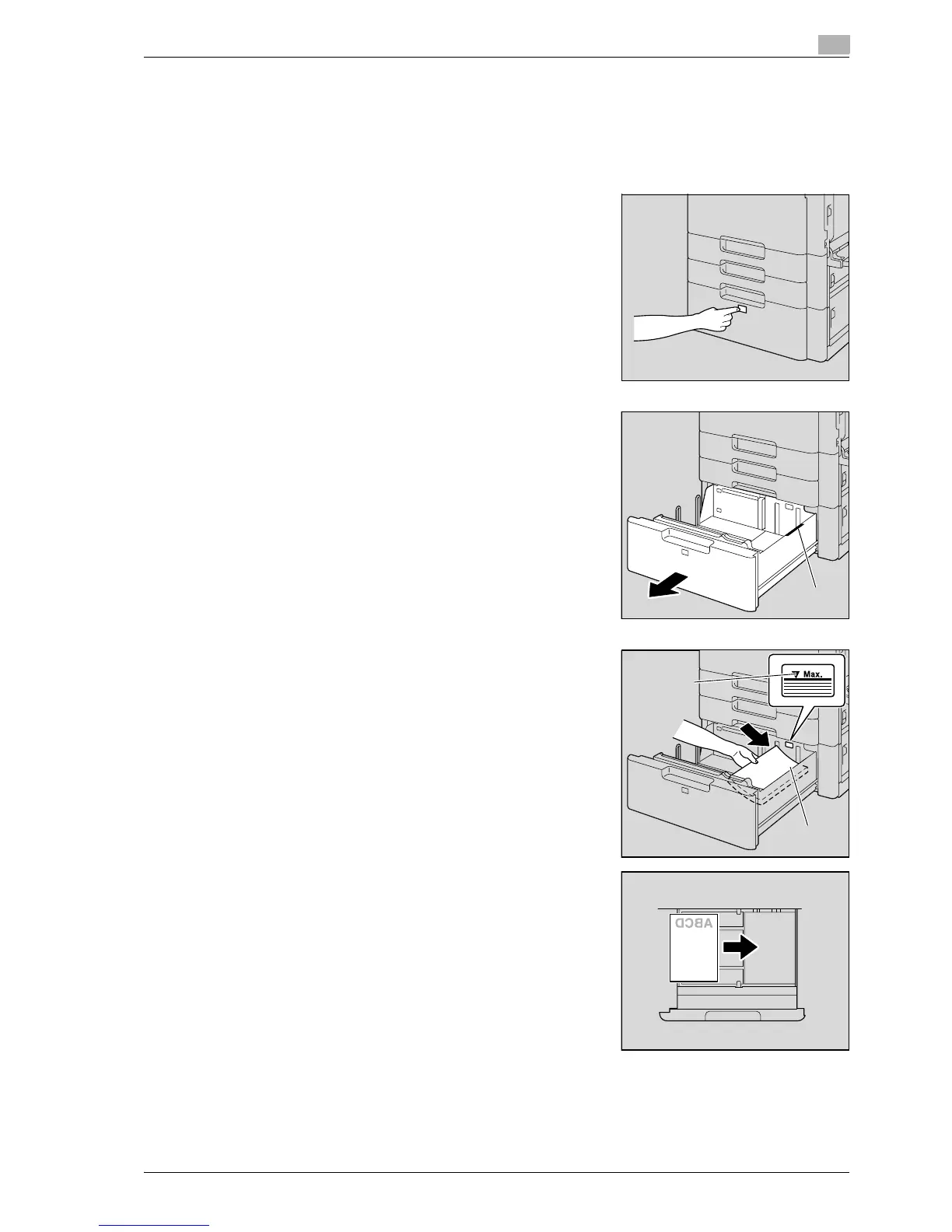
1 Press the tray release button.
2 Pull out the LCT.
3 Load the paper into the right side of the LCT so that the side
of the paper to be printed on (the side facing up when the
package was unwrapped) faces up.
– Load letterhead paper so that the side to be printed on
faces down.
– To print on OHP transparencies, thick paper 4, envelopes
or postcards, use the bypass tray.
?
How is curled paper loaded?
% Flatten the paper before loading it.
Film
, mark
Film



 To Next Page