CS193/CS173/CS163 8-51
Application functions
8
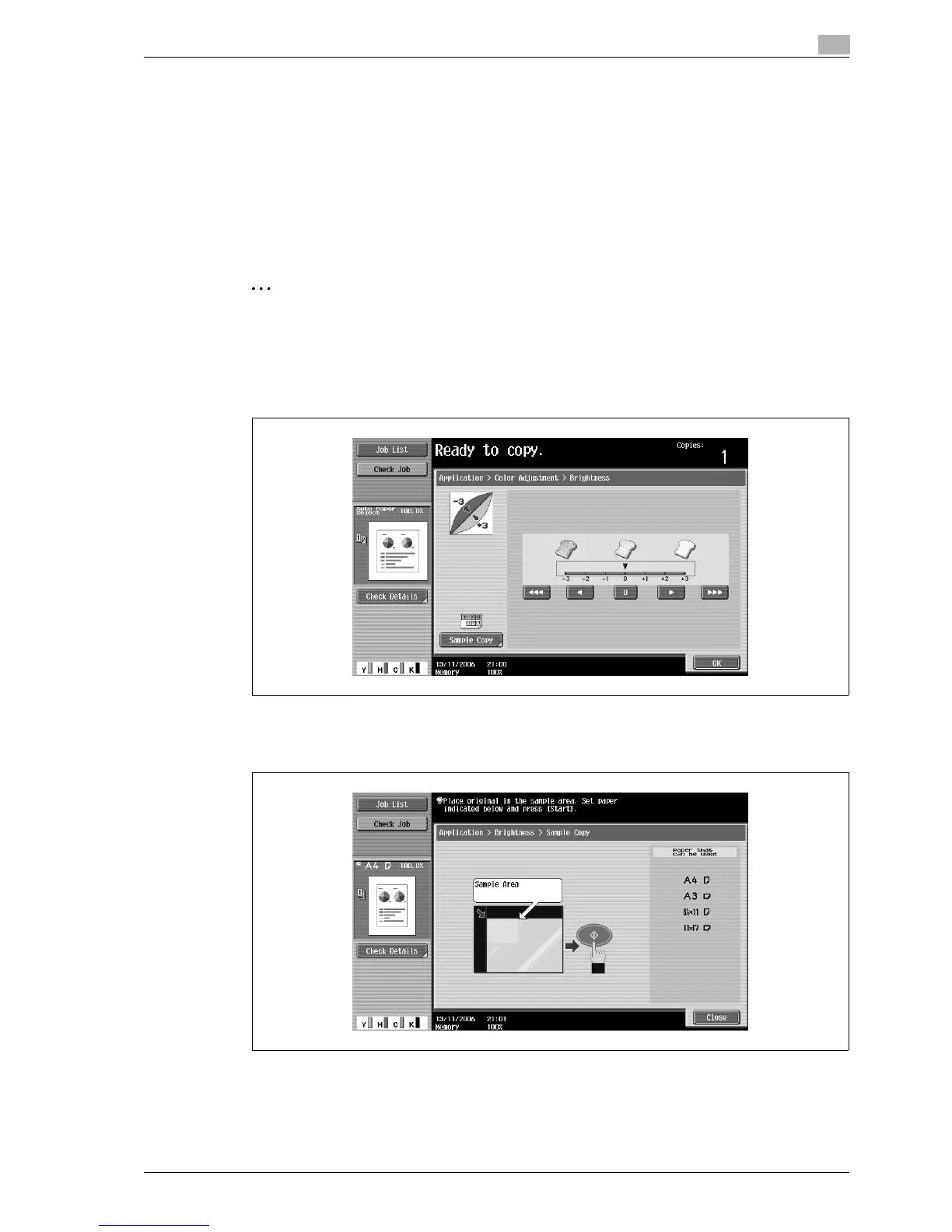
8.11.2 Checking the print result of the Color Adjust settings (Sample Copy)
You can make a sample copy of your original to see how it will appear with the currently specified color
adjustment settings.
As an example, the procedure for adjusting the Brightness parameter is described below.
!
Detail
For details on displaying the screens for the Color Adjust parameters, refer to "Adjusting the copy color
quality (Color Adjust parameters)" on page 8-48.
2
Note
When the Sample Copy screen is displayed, no key other than [Reset] or [Start] can be used.
Place the original on the original glass with the image to be checked positioned within the sample area.
The sample copy will be printed even if the edges of the original extend off the original glass.
1 In the Brightness screen, touch [Sample Copy].
The Sample Copy screen appears.
2 Load paper of a size listed under "Paper that can be used" into the paper tray.
3 Place the original within the sample area of the original glass.
4 Press the [Start] key.
The sample copy is printed.



 To Next Page