8
Application functions
8-50 CS193/CS173/CS163
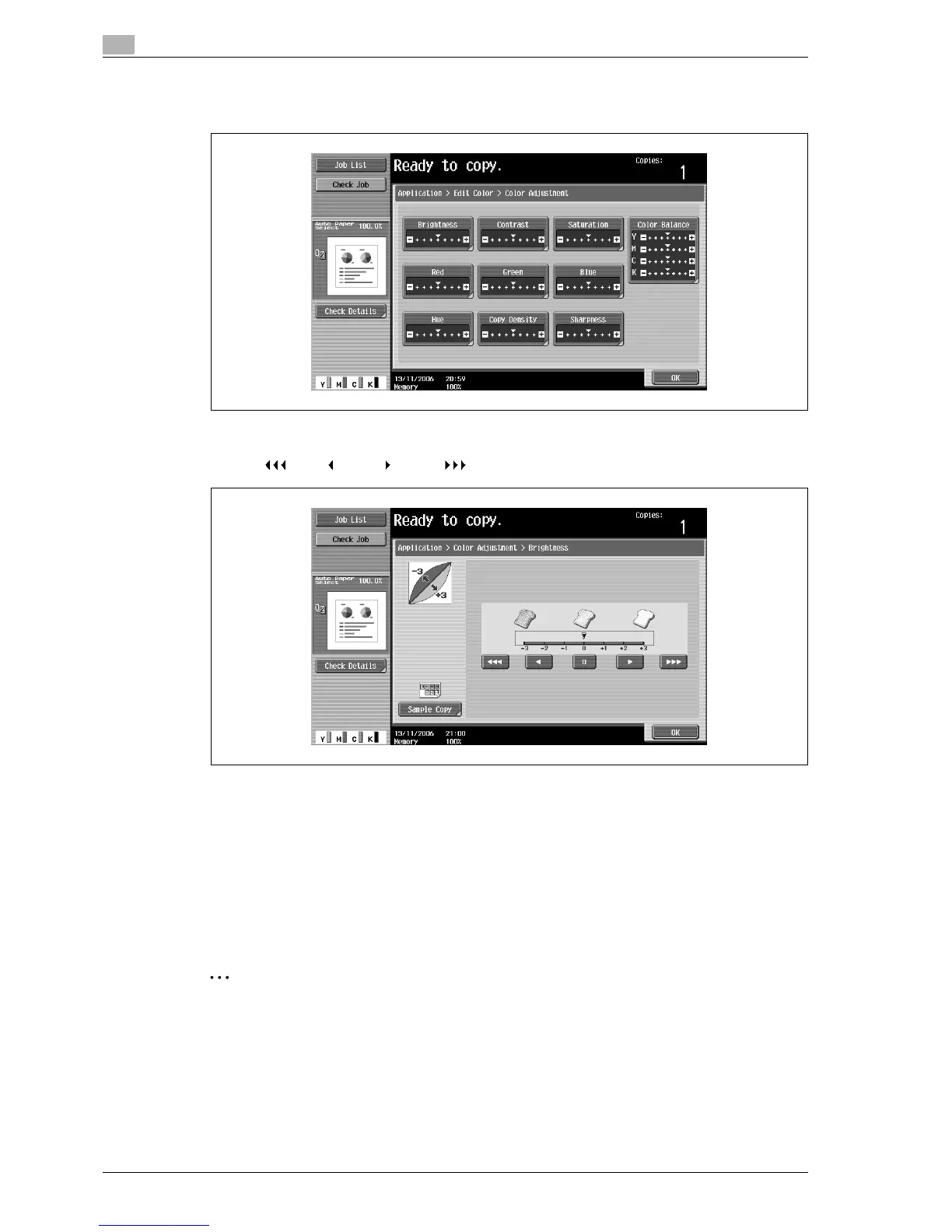
3 Touch [Brightness].
– From the Color Adjustment screen, select the desired parameter.
The Brightness screen appears.
4 Touch [ ], [ ], [ ] or [ ] to specify the adjustment amount.
– To cancel the setting and select the default, press the [Reset] key.
– The settings can be adjusted in 1- or 1/3-step increments between –3 and +3.
– The "Sharpness" parameter can only be specified in single increments.
– In the Color Balance screen, touch the button for a color, and then specify the adjustment setting.
– [Sample Copy] does not appear in the Color Balance screen.
5 Touch [OK], and then touch [OK] in the next screen that appears.
– To print a sample copy in order to check the print result with the current settings, touch [Sample
Copy]. For details about proof copies, refer to "Checking the print result of the Color Adjust settings
(Sample Copy)" on page 8-51.
2
Note
Even though the setting can be specified in 1/3-step increments, the setting will appear at the nearest
full increment in the Color Adjustment screen.



 To Next Page