CS193/CS173/CS163 1-5
Introduction
1
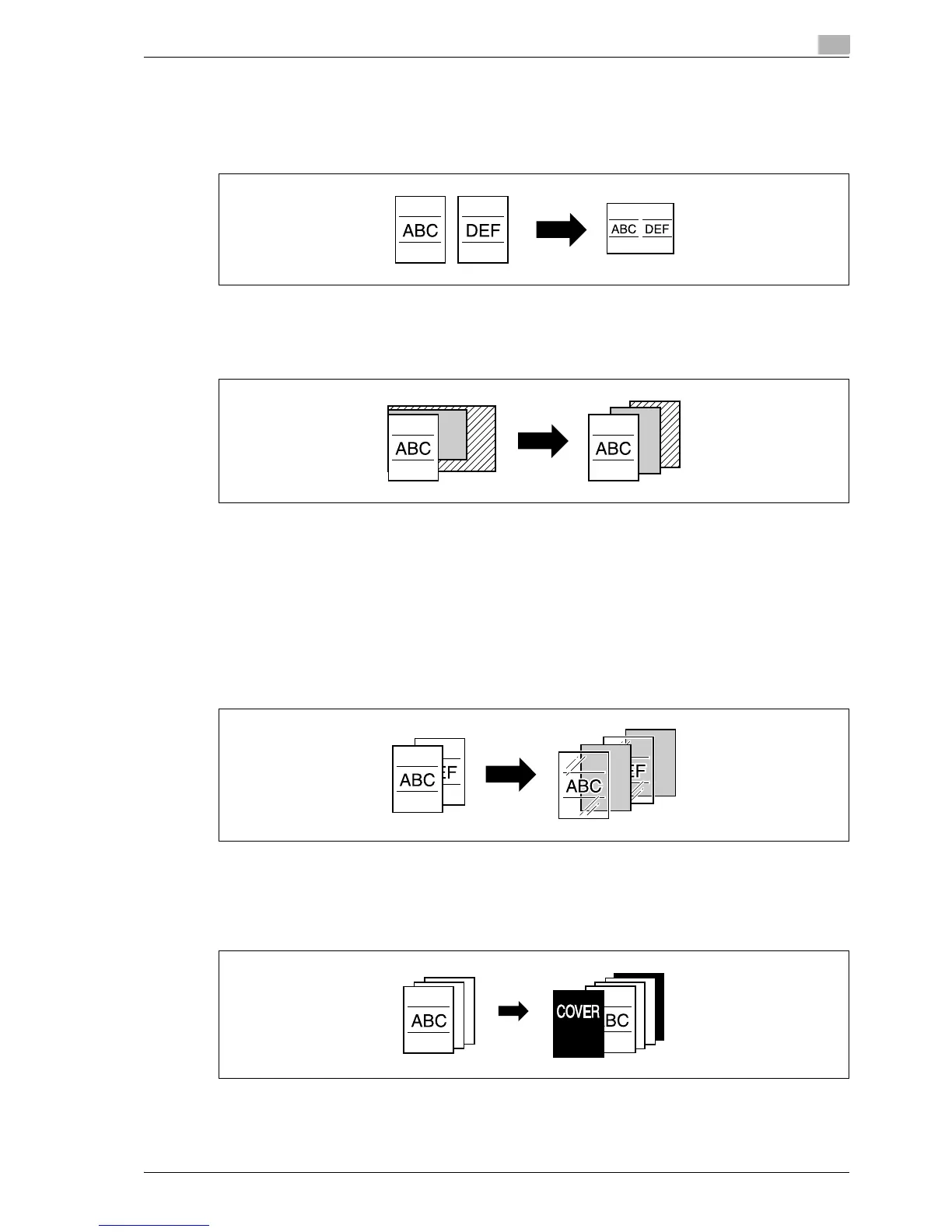
Copying multiple original pages onto a single page
Multiple pages of the original can be printed together on a single page.
For details, refer to "Copying multiple original pages onto a single page (combined copy settings)" on
page 3-56.
Copying an original containing various page sizes
An original with various page sizes can be scanned and copied together.
For details, refer to "Copying originals of mixed sizes ("Mixed Original" setting)" on page 3-21.
Adjusting copies according to the image quality of the original
The copies can be adjusted according to the image quality of the original.
For details, refer to "Loading originals with small print or photos (Original Type settings)" on page 3-58or
"Adjusting the print density (Density settings)" on page 3-61.
Inserting paper between copies of OHP
In order to prevent OHP from becoming stuck to each other, a page (interleaf) can be inserted between the
transparency copies.
For details, refer to "Inserting paper between OHP transparencies ("OHP Interleave" function)" on page 8-22.
Adding a cover page
Cover pages can be added to copies, or copies can be made using different paper (for example, colored
paper) for only the cover pages.
For details, refer to "Adding cover pages ("Cover Sheet" function)" on page 8-25.



 To Next Page