CS193/CS173/CS163 12-39
Utility mode
12
12.5 Check Consumable Life
This section describes the information that can be viewed after pressing the [Utility/Counter] key, then
touching [Check Consumable Life].
From the Check Consumable Life screen, the status (usage level) of the following consumables can be
viewed.
- Imaging unit (C)
- Imaging unit (M)
- Imaging unit (Y)
- Imaging unit (K)
- Fusing unit
- Image transfer belt unit
The usage levels are shown as graphs.
2
Note
The consumables mentioned above are replaceable. For replacements, contact your service
representative.
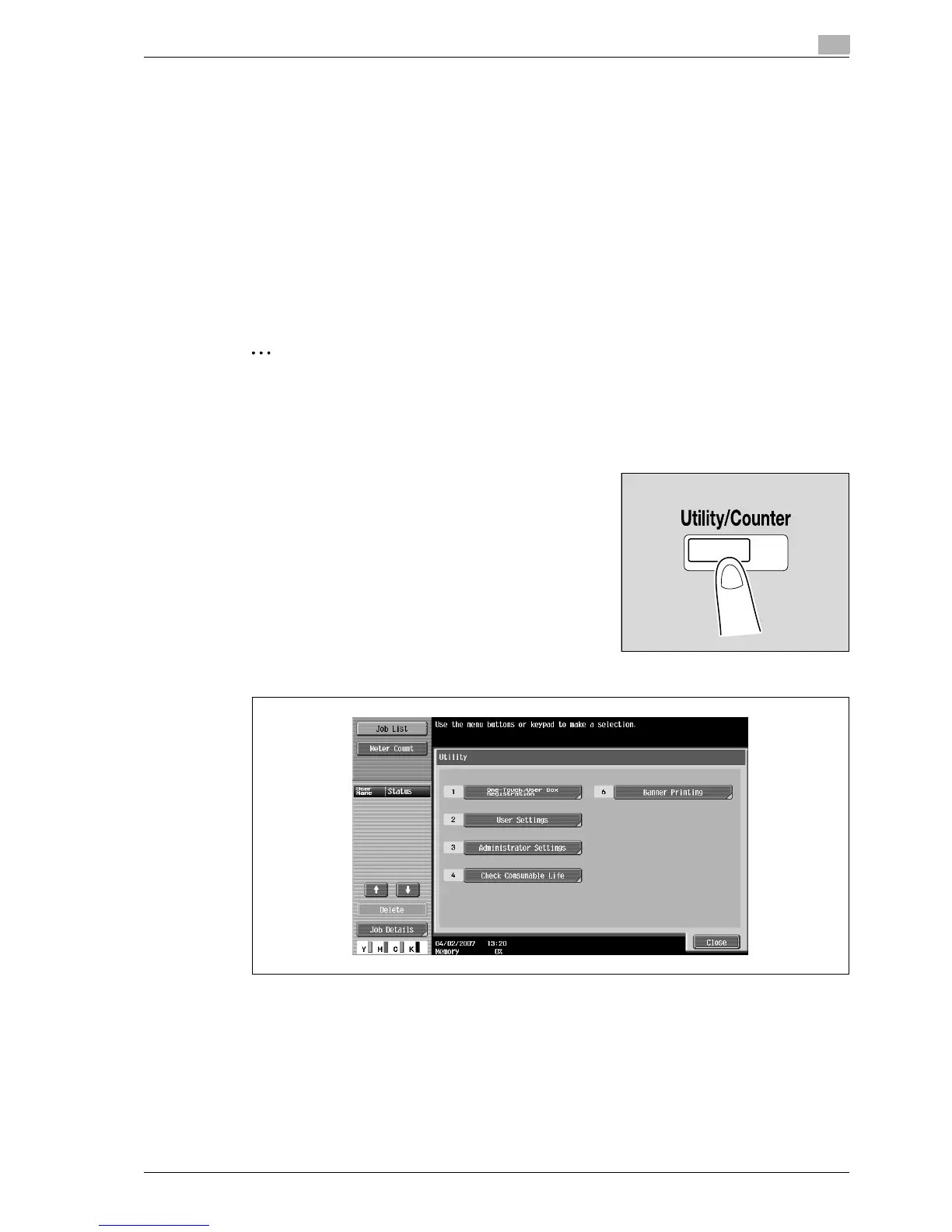
12.5.1 Displaying the Check Consumable Life screen
1 Press the [Utility/Counter] key.
2 Touch [4 Check Consumable Life].
– An item can also be selected by pressing the key in the keypad for the number beside the desired
button. For [4 Check Consumable Life], press the [4] key in the keypad.



 To Next Page