8
Application functions
8-70 CS193/CS173/CS163
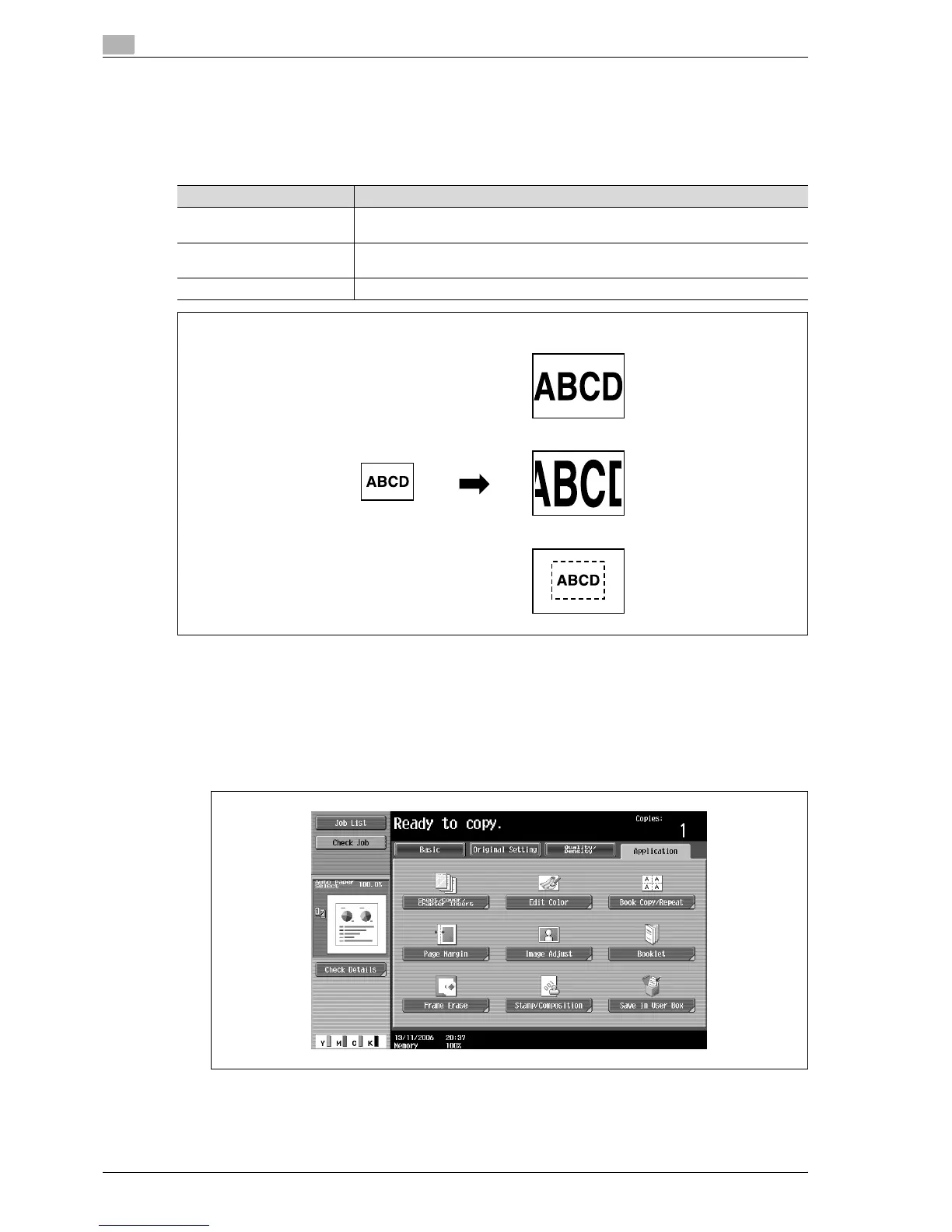
8.17 Adjusting the image to fit the paper (Image Adjust settings)
When the copy paper is larger than the original, copies can be made with the original image centered and
enlarged to fill the paper.
The image can be adjusted in any of the following ways.
1 Position the original to be copied.
– For details on positioning the original, refer to "Feeding the original" on page 3-8.
– If "Full Size" or "Center Zoom" is to be set, position the original on the original glass.
2 Touch [Application], and then touch [Image Adjust].
– To cancel changes to the settings for all Application functions, press the [Reset] key. All changes to
the settings are canceled.
The Image Adjust screen appears.
Setting Description
Full Size The area that contains the entire image is centered and enlarged to the size of the
paper.
Center Zoom The image is enlarged to the size of the paper so that the paper is filled. However,
some parts of the image may be lost.
Centering The image is centered in the paper without being enlarged.
Full Size
Center Zoom
Centering



 To Next Page