CS193/CS173/CS163 12-37
Utility mode
12
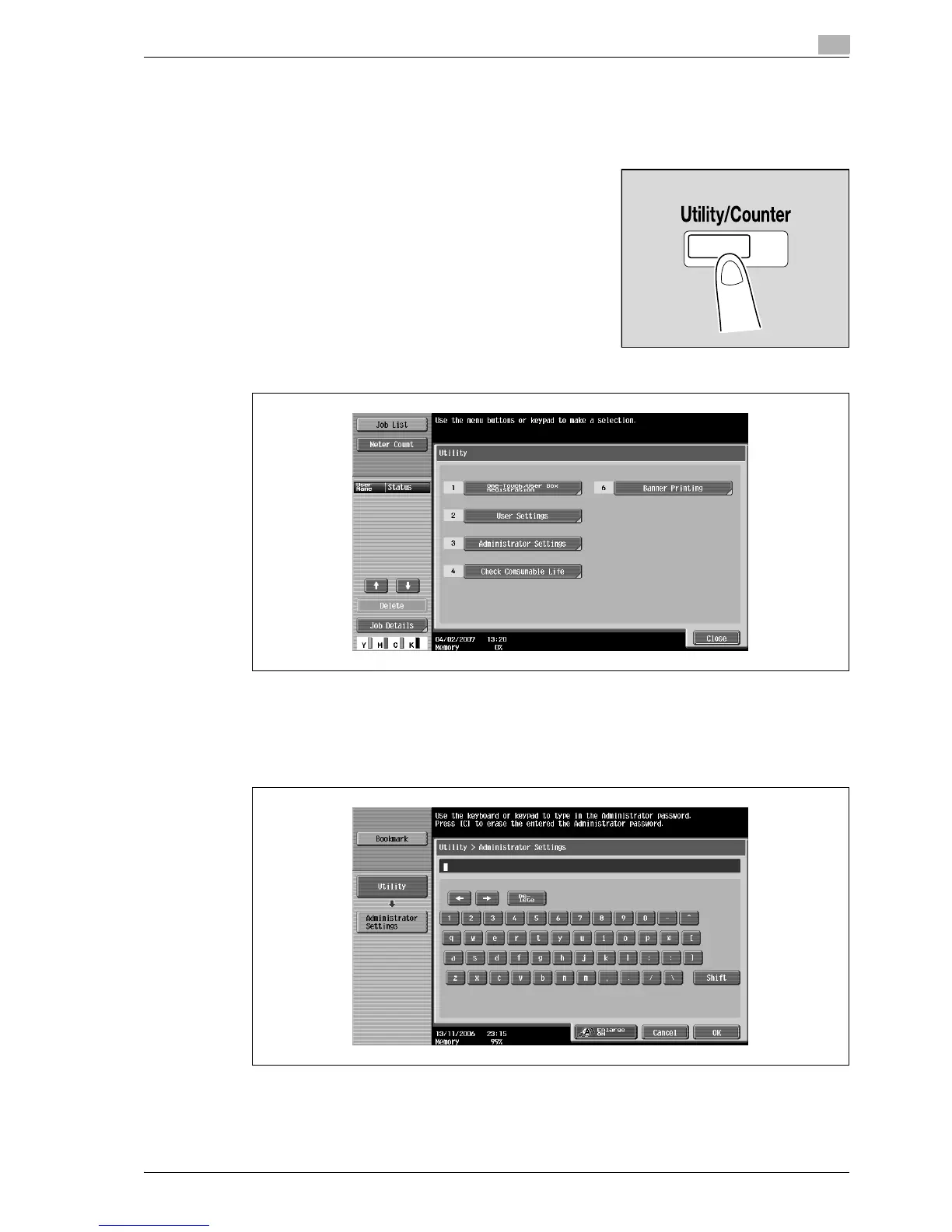
12.4.11 Displaying the Administrator Settings screen
Follow the procedure described below to display the Administrator Settings screen by pressing
[Utility/Counter] key.
1 Press the [Utility/Counter] key.
2 Touch [3 Administrator Settings].
– An item can also be selected by pressing the key in the keypad for the number beside the desired
button. For [3 Administrator Setting], press the [3] key in the keypad.
3 Type in the administrator password, and then touch [OK].
– For details on typing in text, refer to "Entering text" on page 13-3.



 To Next Page