3
Basic copy operations
3-50 CS193/CS173/CS163
3.8 Selecting an Original > Copy setting
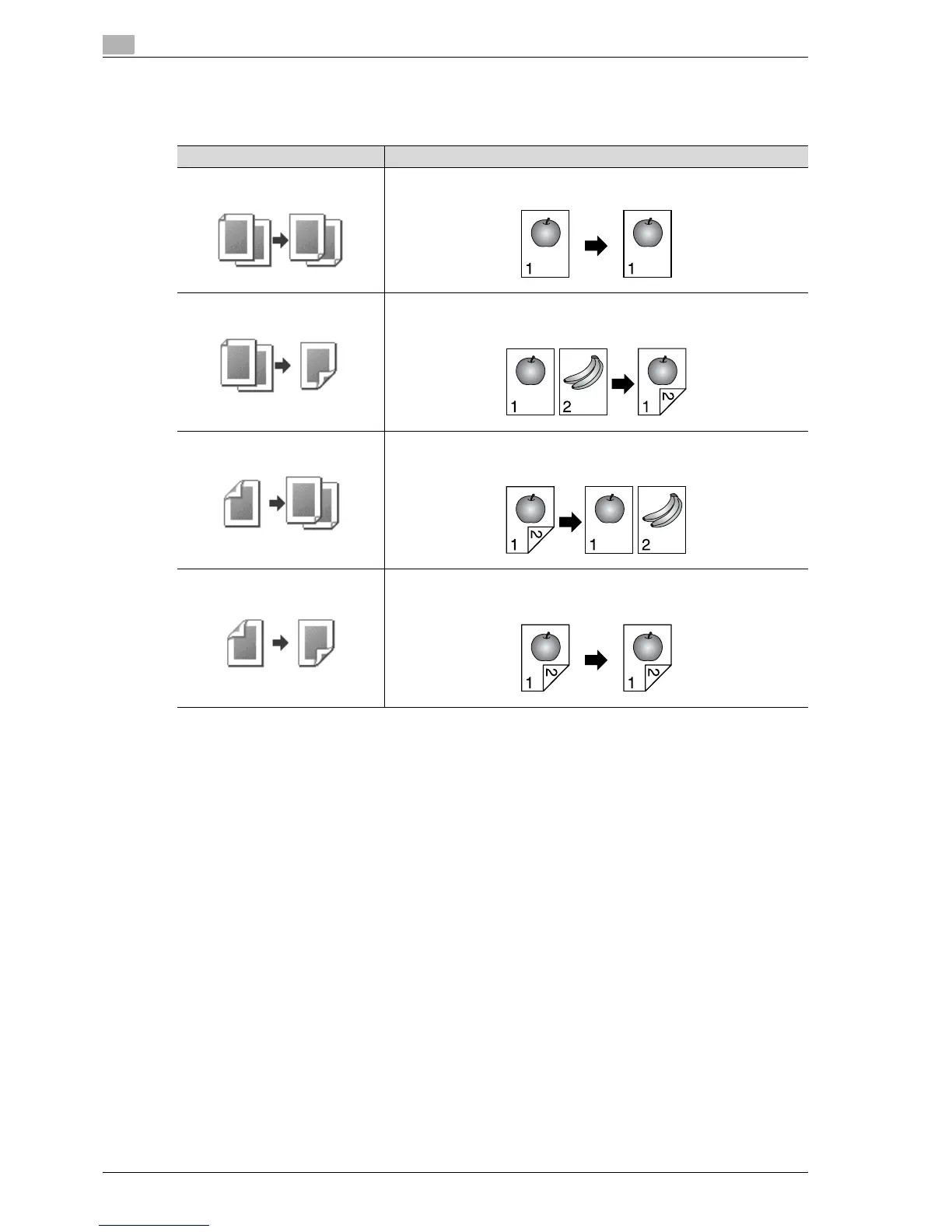
The following four Original > Copy setting combinations are possible.
The following procedures describe how to select Original and Copy settings.
Original > Copy settings Description
1-Sided > 1-Sided Select this setting to produce single-sided copies from single-sided originals.
1-Sided > 2-Sided Select this setting to produce one double-sided copy from two single-sided
originals.
2-Sided > 1-Sided Select this setting to produce two single-sided copies from one double-sided
original.
2-Sided > 2-Sided Select this setting to produce double-sided copies from double-sided origi-
nals.



 To Next Page