11
Managing jobs
11-14 CS193/CS173/CS163
11.2.7 Printing a stored job
A job is removed from the Held Jobs list and printed.
2
Note
For details on displaying the screen, refer to "Displaying the Current Jobs list (stored jobs and active
jobs)" on page 11-11.
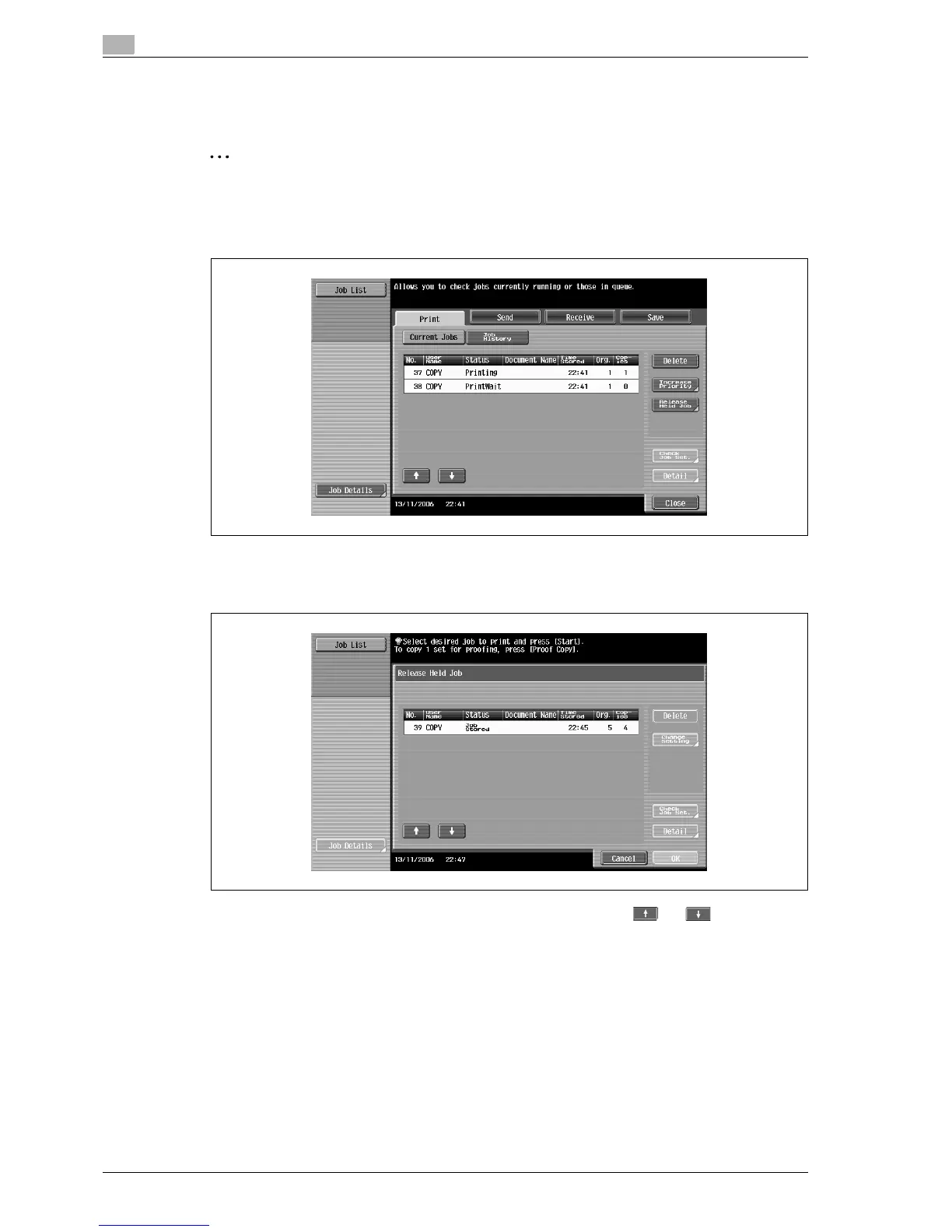
1 In the Current Jobs list of the Print tab, touch [Release Held Job].
The Release Held Job screen appears.
2 Select the job to be removed from the Held Jobs list.
– If the job to be removed from the Held Jobs list is not displayed, touch and until the desired
job is displayed.
– If an incorrect job was selected, select a different job or touch the button for the selected job again
to deselect it.
– To continue without changing the specified copy settings, continue with step 5.
3 Touch [Change Setting].
The Change Setting screen appears.



 To Next Page