CS193/CS173/CS163 3-51
Basic copy operations
3
3.8.1 Selecting single-sided copies
0 As the factory default, "1-Sided > 1-Sided" is selected.
0 For details on using the original glass to scan multi-page originals, refer to "Scanning a multi-page
original from the original glass" on page 3-15.
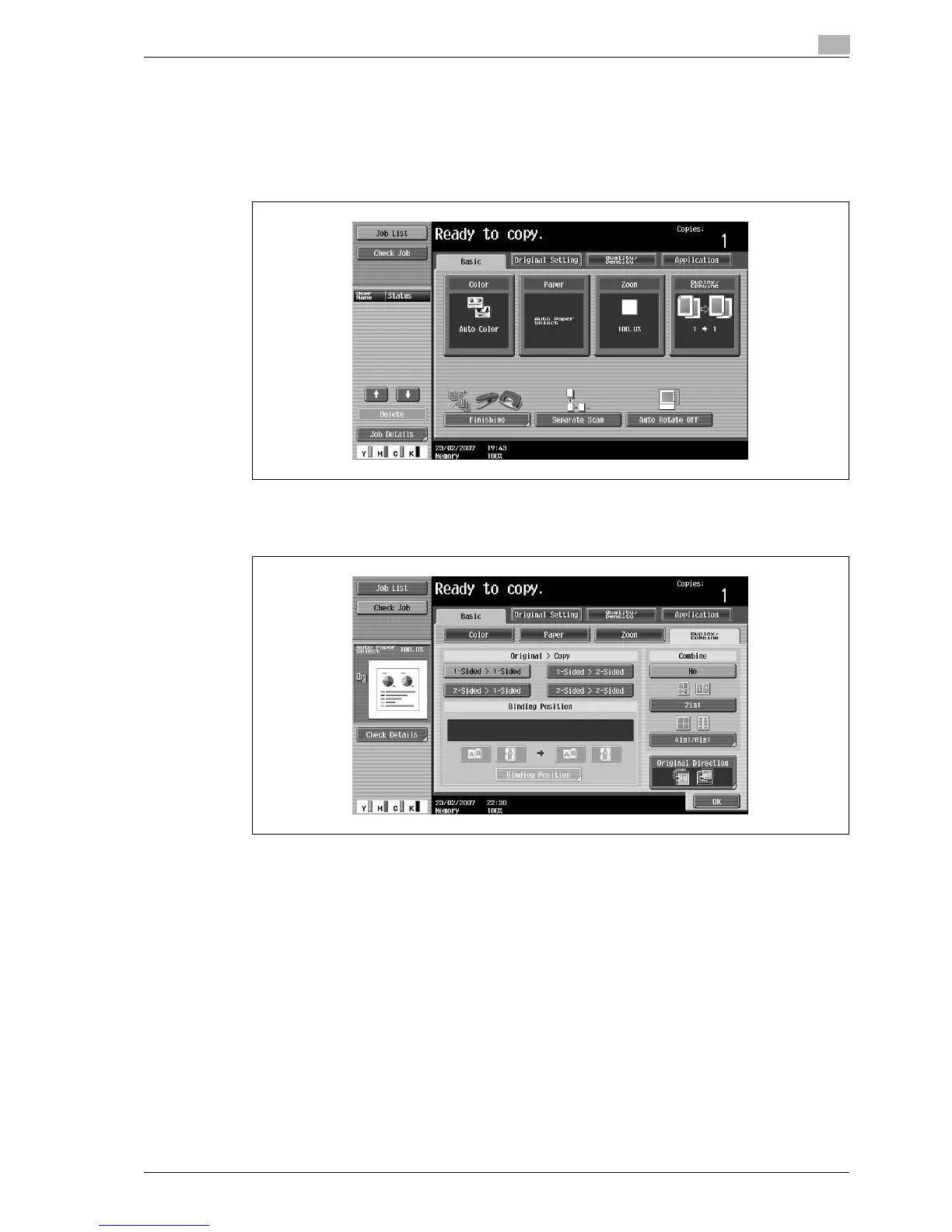
1 In the Basic screen, touch [Duplex/Combine].
The Duplex/Combine screen appears.
2 Touch [1-Sided > 1-Sided] or [2-Sided > 1-Sided].
– If "2-Sided > 1-Sided" is selected, specify the position of the binding margin and the orientation of
the loaded original, otherwise the copies will not be printed as desired.



 To Next Page